Meet Maggie, the AI that knows your firm’s numbers
Maggie is Magnetic's AI assistant for professional services firms. Ask about your projects, people and finances in plain language and get answers from the information your team already records in Magnetic.
Ask Maggie anything about your firm
Get clear answers about projects, profitability, resourcing, pipeline and performance using information already in Magnetic. Ask a question in plain language and Maggie brings together the relevant data, helping you understand what is happening across the business without searching through dashboards.
Built for how firms actually work
Which projects have exceeded budget? How much work is waiting to be billed? Who has capacity next week? Maggie brings the relevant information together from across Magnetic and answers in plain language. When you need the detail, ask for a report you can refine, share and export.
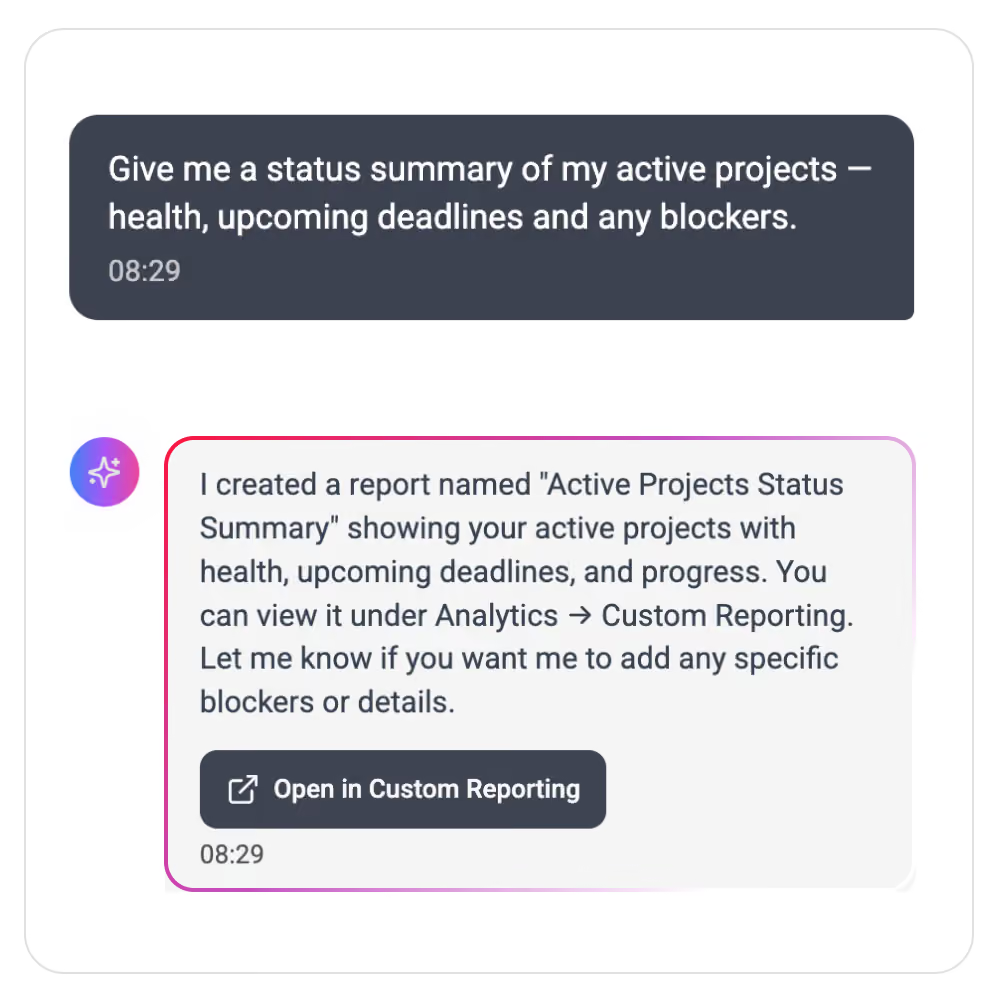
Ask questions in plan language
Type a question as you would ask a colleague. You don't need to set up a filters or know where the information sits.
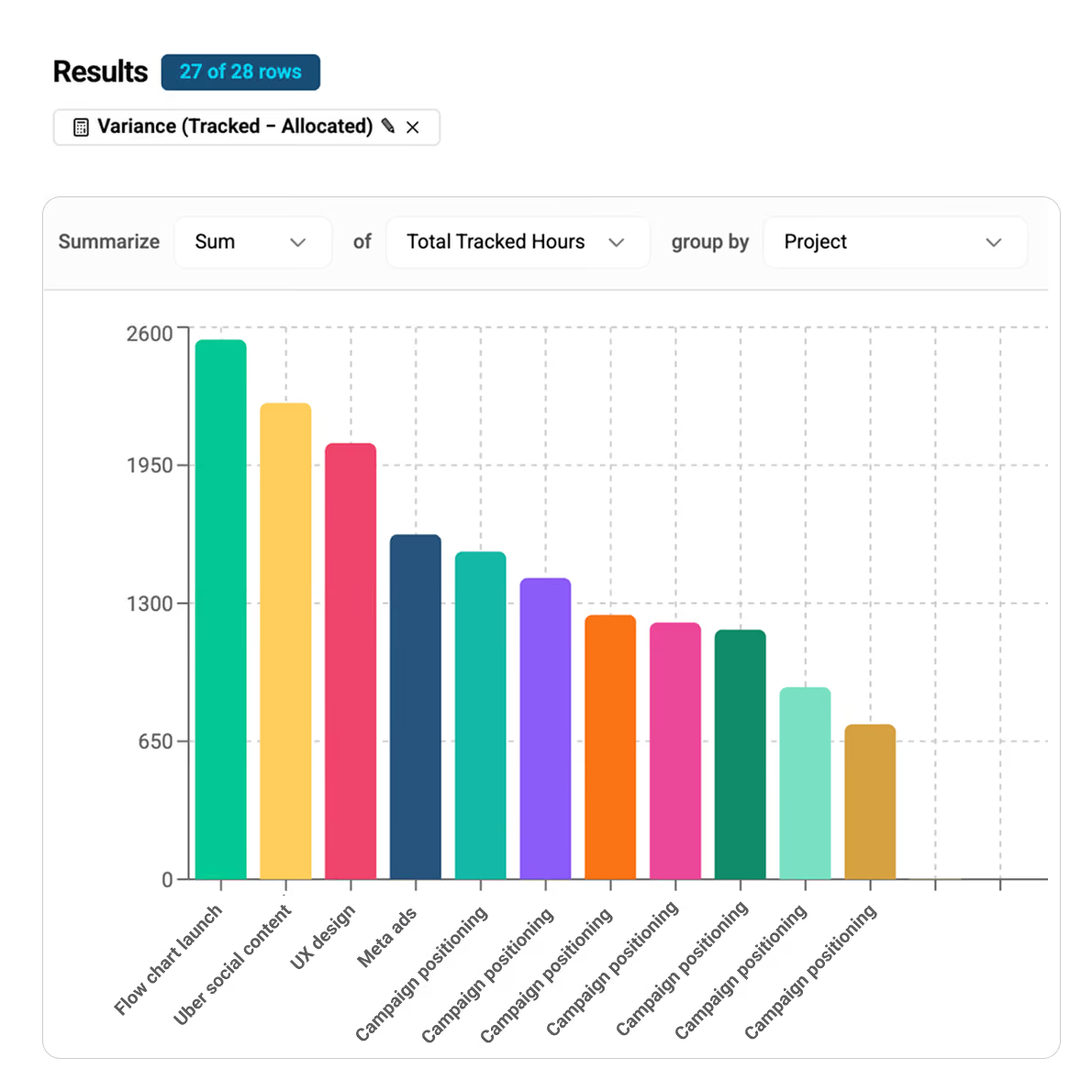
Build a report from a question
Ask for a project profitability, utiisation, revenue by client or unbilled work. Maggie puts the figures into a report you can review and share.
Turn a request into an action
Ask Maggie to draft a task or log time to a project. Check the details before anything is saved.
Questions Maggie is built to answer
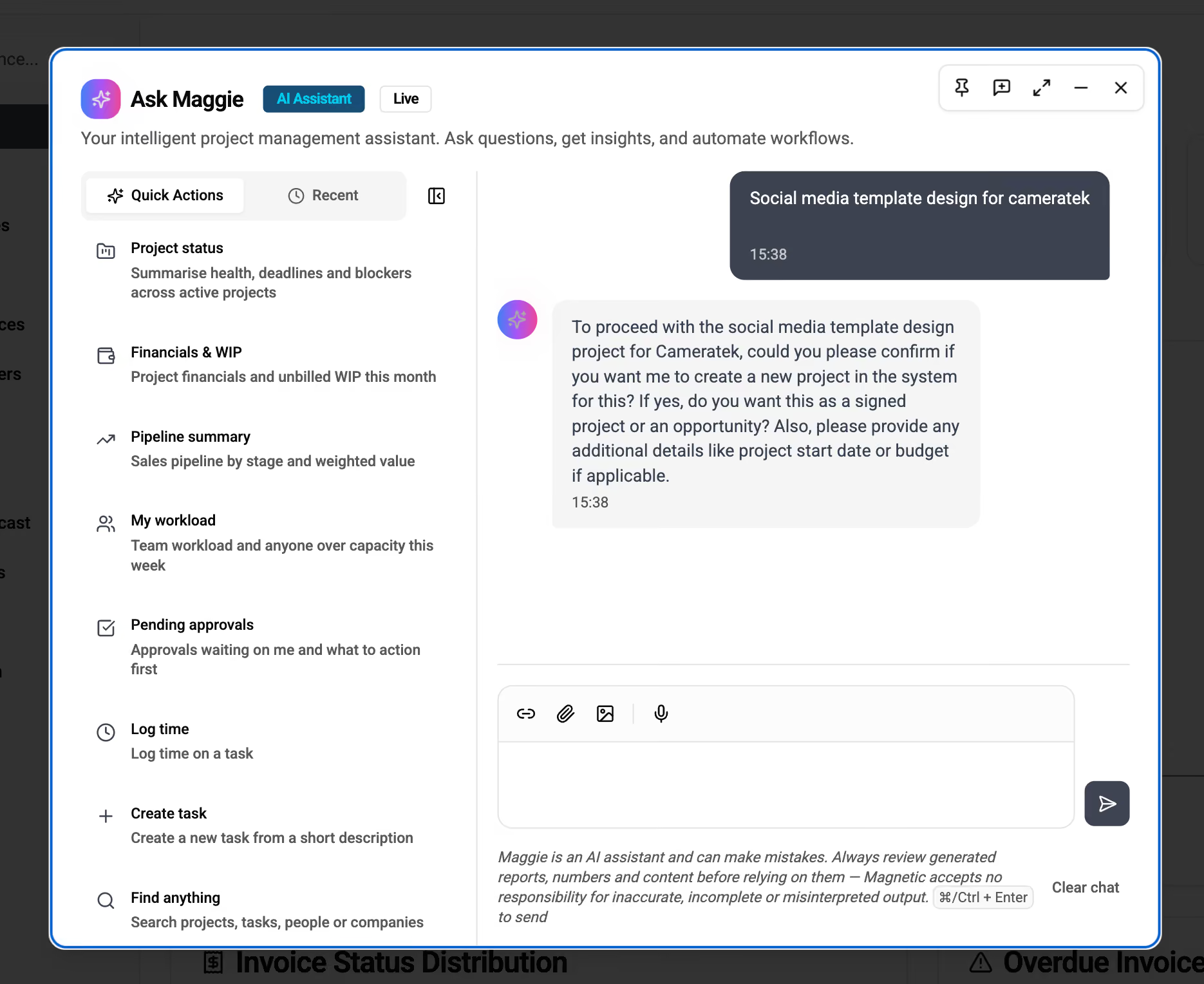
Maggie has built-in Quick Actions for the things teams do most, and you can always type your own question instead. A few examples:
Report on Project status
A summary of health, deadlines and blockers across your active projects.
Analyze Financials & WIP
See project financials and the unbilled work in progress this month, so you know what’s still to invoice.
Provide Pipeline summaries
See your sales pipeline by stage, with weighted values.
My workload & capacity
See your team’s workload and who’s over capacity this week.
Check Pending approvals
See the approvals waiting on you, with the most urgent first.
Find anything
Search across projects, tasks, people and companies.
Built the report you need by asking for it
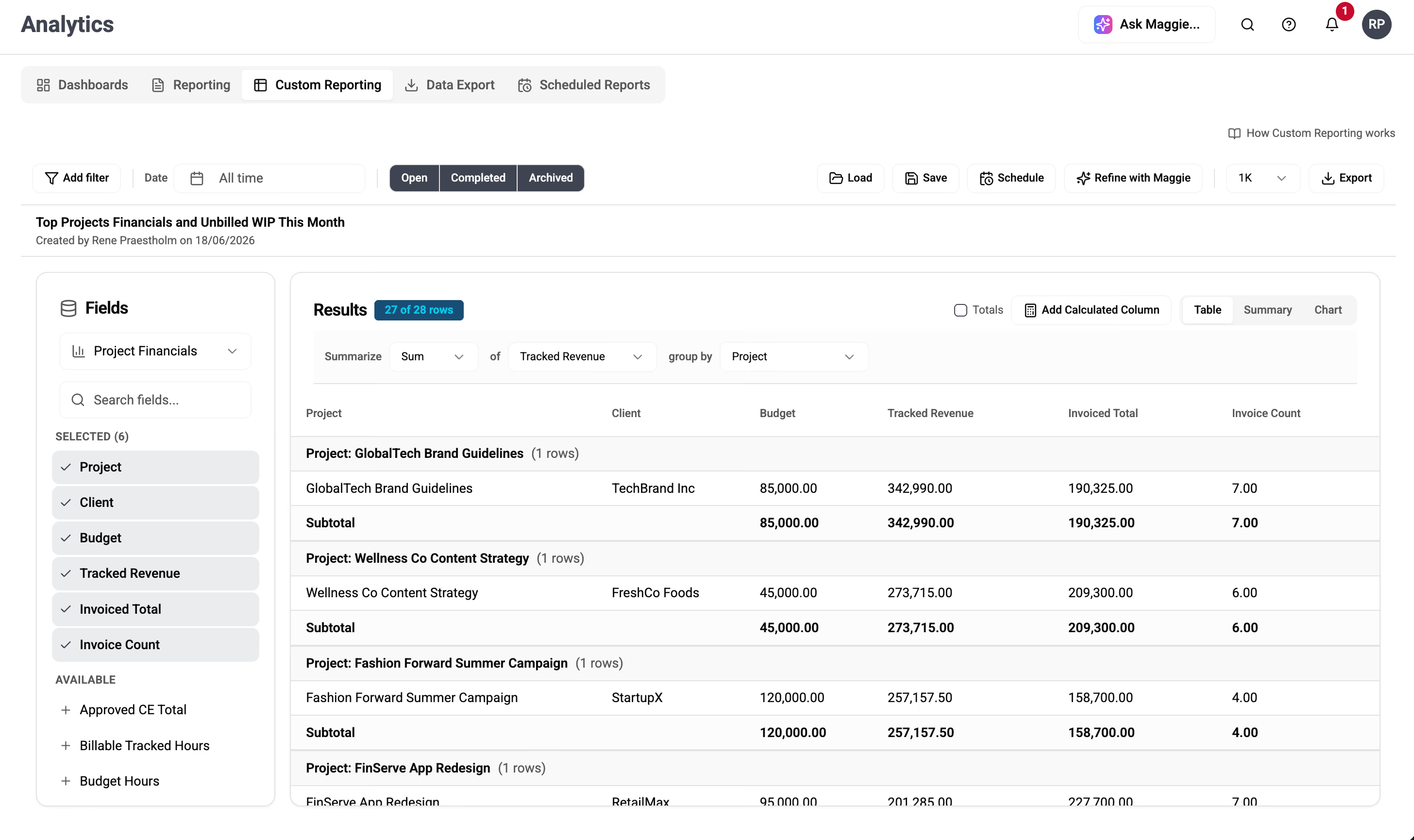
Ask for revenue by client, utilization, project profitability, financials or WIP, and Maggie builds the report from your live data. Use Refine with Maggie to adjust it, then share or export it.
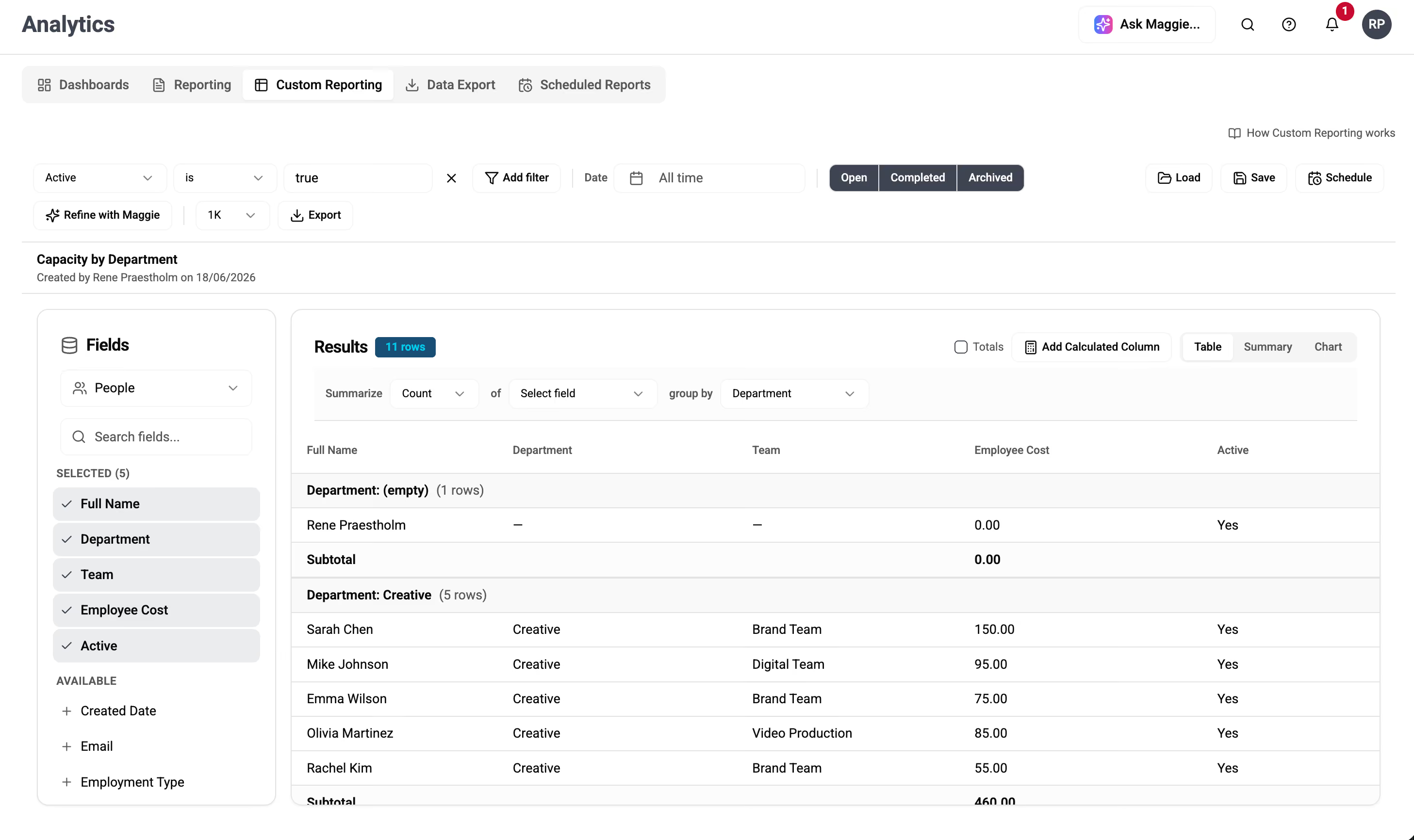
See capacity and cost by team
Ask for headcount, capacity or employee cost by department and Maggie groups it for you, so you have the numbers you need to plan the next quarter.
Create tasks and log time in plain language
Tell Maggie what needs doing, or what you’ve already done. She drafts the task or logs the time to the right project, checks the details with you, and saves it.
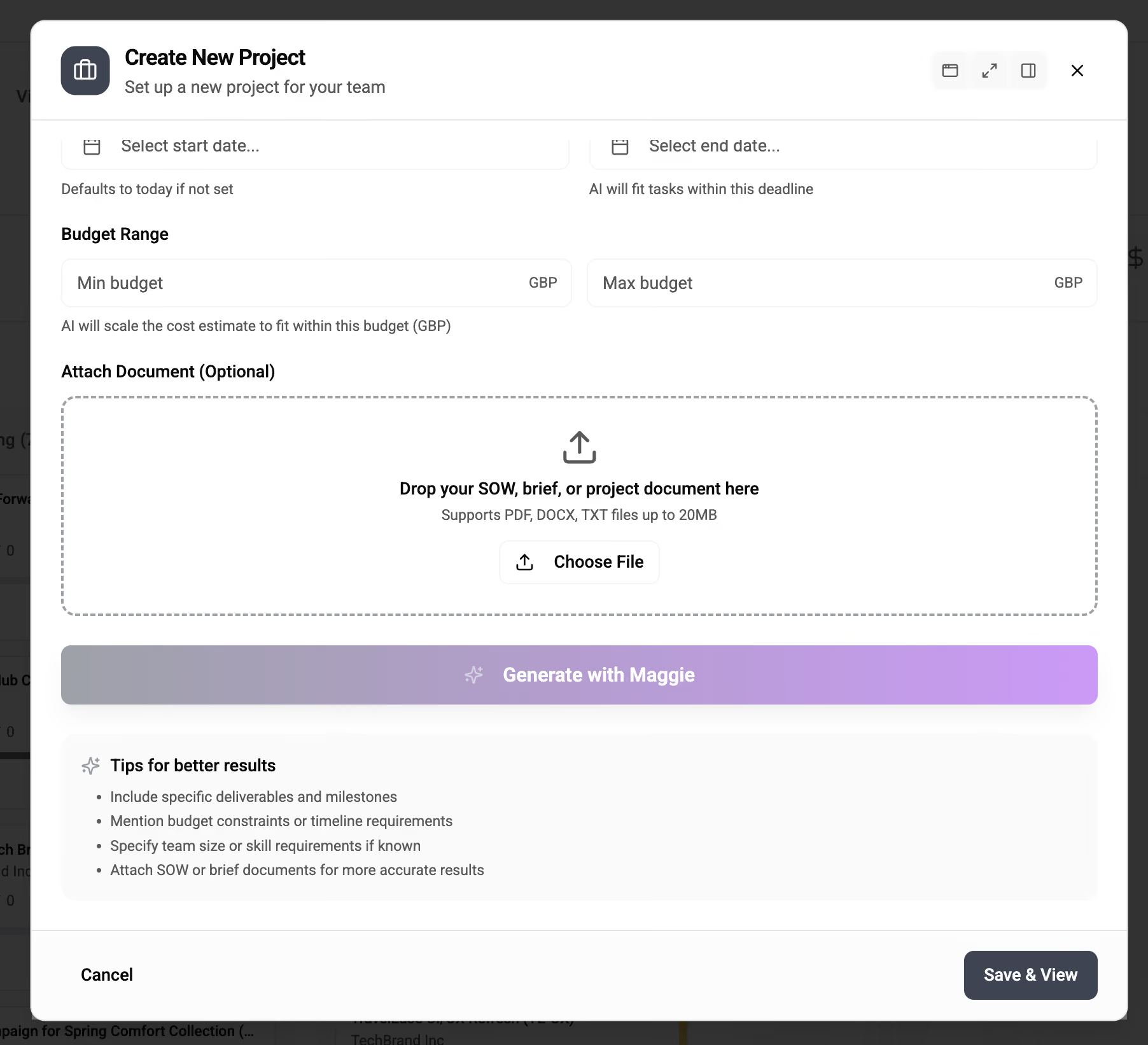
Start a project from a brief
Give Maggie a SOW or brief and she drafts the project structure, tasks and timeline, estimates a cost to fit your budget, and suggests who should work on it. You get a first draft to review and adjust.
From a question to a shareable answer
- 1
Ask about your work
Type your question in normal language. There are no filters or report builders to set up.
- 2
Maggie reads your live data
She reads across projects, time, pipeline and billing, within the access you already have.
- 3
Share the result
You get a clear answer and a report, with a link your team can open.
Built on the permissions you already trust
Maggie follows the same role-based access you use across Magnetic. If someone can’t see a project’s margins today, Maggie won’t show them either. Your data stays in your control, inside the system you already run.
Role-based access
Every answer is limited to what that person is allowed to see.
Audit history
Every request is logged, so you can check what happened and when.
Your data, your control
Maggie runs inside Magnetic on your own data, and it stays yours.
Choose the AI model behind Maggie
Maggie is built into Magnetic, and you choose which model powers her. Connect Claude ChatGPT, and switch whenever you want. Whichever you pick, every answer follows the same role-based permissions.
Connected securely through Magnetic’s MCPQuestions? We have answers.
Didn't find your question here? No worries — our team is ready to help, anytime.

Is Maggie included in my plan?+
Yes. Maggie will be part of every Magnetic plan when she launches, with no add-on to buy. Start a free trial and you’ll have her as soon as she’s live.
What can Maggie actually do? +
Maggie AI answers questions about your live data, builds reports and dashboards, and takes action inside Magnetic, such as logging time, creating tasks or setting up a project from a brief. All within your existing permissions.
Which AI model does Maggie use? +
Whichever you choose. Connect Claude or ChatGPT through Magnetic’s MCP and switch whenever you want. Your data and permissions stay the same, whatever model you use.
Does my firm’s data stay in my control? +
Yes. Maggie runs on your live data inside Magnetic, within your permissions, and every request is logged. Your data stays in the system you already run.
Do I need to learn prompts or report builders? +
No. Ask in normal language, the way you’d ask a colleague. Maggie turns your question into an answer or a report you can share.
When can I get Maggie?+
Maggie is coming soon. Book a demo and we'll walk you through what to expect ahead of the launch.
See what Maggie can do for your firm
Book a demo and get an early walkthrough Maggie AI inside . We'll show you how it answers questions, builds reports, supports daily work and helps your team make faster decisions.
Book a guided demo
Magnetic is an all-in-one workflow management platform designed and built for professional services firms.