

Finance managementArrow
Budgeting and forecasting tools for professional services
Finance management

Budgeting and forecasting tools for professional services

Discover the top budgeting and forecasting tools for professional services that streamline financial planning, enhance decision-making, and drive profitability.
Written by:  
René Praestholm
Reviewed by: Rene Praestholm
Last updated:
February 22, 2026
Read time:
6 mins
Table of contents
Table of contents
Key takeaways
  • 62% of professional services firms struggle to forecast resources accurately, making specialized budgeting tools essential for maintaining profitability in an increasingly competitive market.
  • Only 20% of firms hit their profit margin targets consistently due to inadequate forecasting processes, disconnected systems, and reliance on outdated spreadsheet methods.
  • Key features to prioritize: Real-time project visibility, seamless integration with accounting/CRM/time tracking systems, project-based budgeting capabilities, and AI-powered scenario planning.
  • Firms using specialized tools report 40-60% faster budgeting cycles and significantly improved forecast accuracy compared to spreadsheet-based approaches, with most seeing positive ROI within 6-12 months.
  • Start with integration assessment — the best tool connects your time tracking, project management, and financial systems in one centralised platform.

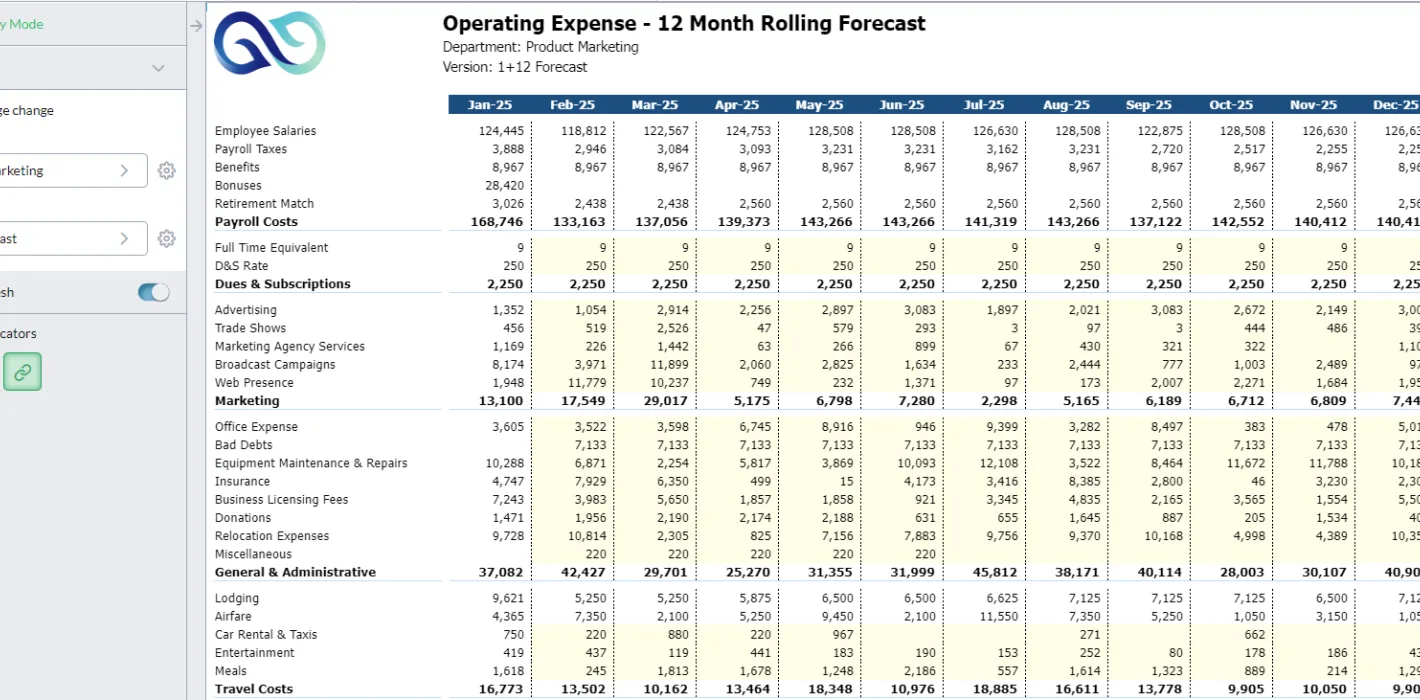
For professional services like engineering, architecture, and consulting firms, budgeting and forecasting aren't just financial tools – they're essential for staying afloat. Think of them as your financial compass, guiding you through the sometimes stormy seas of project-based revenue and unexpected expenses.

The right tools can make budgeting and forecasting a breeze. They can automate tasks, provide real-time insights, and help you make smarter financial decisions.

It’s really a no-brainer.

In this article we’ll take a look at needs, features and favourites when it comes to financial budgeting and forecasting software.

Let’s start with the ‘why’.

Why Professional Services Companies Need Specialised Budgeting and Forecasting Tools

Professional service firms operate in dynamic and unpredictable environments – exciting, yes, but financially treacherous. They face unique financial challenges that generic business software simply cannot address.

The Forecasting Accuracy Crisis

Professional services firms face a forecasting challenge that sets them apart from product-based businesses. Unlike companies with predictable inventory cycles, your revenue depends entirely on three highly variable factors: people, projects, and time.

The numbers tell a stark story. 62% of professional services firms find it very difficult to predict project resource needs in advance, according to 2024 research from Kantata and Forrester. This isn't just an inconvenience – it's a direct threat to profitability.

When you can't forecast accurately, you end up with:

  • Over-servicing: Teams working unpaid hours because scope and budget weren't properly aligned, directly eroding your margins
  • Under-staffing: Missing revenue opportunities because you didn't anticipate capacity needs in time to hire or reassign resources
  • Cash flow chaos: Not knowing when revenue will actually hit your account, making it impossible to plan for investments or manage payables
  • Margin erosion: Unable to spot unprofitable projects until it's too late to course-correct, turning potential wins into financial losses

Despite recognising these challenges, only 20% of professional services organisations have a sophisticated forecasting process, citing limitations in data accuracy, integration capabilities, and process maturity. The gap between knowing what you need and having the tools to do it has never been wider.

Specialised tools address this by connecting your time tracking, project budgets, and resource allocation in real-time, giving you the visibility to forecast with confidence rather than hope.

The Cost of Disconnected Systems

Here's a scenario Finance Managers know too well: Sales promises a project delivery date. Project Management builds a timeline. Your team logs hours in one system. Invoicing happens in another. Finance tries to reconcile everything in spreadsheets. By the time you realise a project is hemorrhaging money, you've already lost it.

Research shows that 80% of IT leaders cite data silos as a major concern in professional services operations. When your forecasting tool doesn't communicate with your time tracking system, and your time tracking system exists in isolation from your accounting software, you're essentially flying blind while reassuring clients you're on track.

The consequences are measurable. Professional services firms with disconnected systems report:

  • Project overruns at 11.3% in 2024, up from 9.6% the previous year
  • Billable utilisation declining from 73.2% in 2021 to just 68.9% in 2024
  • Weeks-long financial close processes because data must be manually consolidated and validated
  • Reactive rather than proactive decision-making because by the time you see the problem, it's already impacting profitability

Integrated budgeting and forecasting tools eliminate this fragmentation by serving as a central source of truth. When your timesheet data automatically flows into your budget forecasts, and your project actuals immediately update your financial projections, you can spot variances in days rather than months.

The Profitability Erosion Problem

The professional services industry is experiencing a profitability crisis. EBITDA margins dropped from 16.1% in 2022 to just 9.8% in 2024 – the lowest point in five years. This isn't a temporary blip; it's a systemic issue driven by:

  • Rising labor costs without corresponding rate increases
  • Increased competition putting downward pressure on pricing
  • Client budget scrutiny demanding more value for less money
  • Operational inefficiencies that specialised tools could eliminate

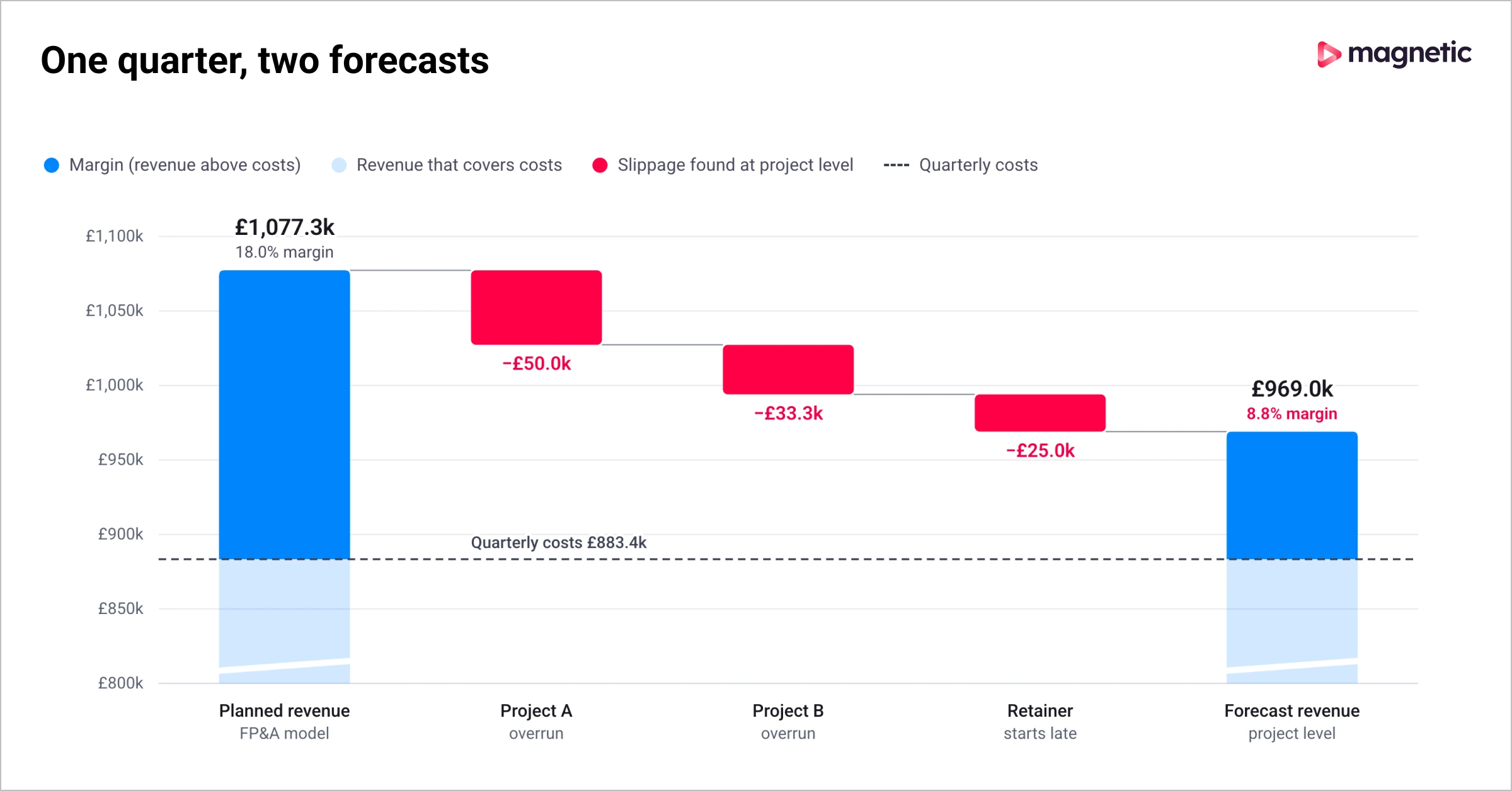
Meanwhile, 57% of firms have defined profit margin targets for their projects, but only 20% hit those targets consistently. The gap between aspiration and execution comes down to visibility and control – precisely what proper budgeting and forecasting tools provide.

Losing visibility into project profitability?
See how Magnetic gives you real-time dashboards that connect your pipeline, resources and financials in a single view.
See Magnetic in action

What Specialised Tools Actually Do

These tools are designed to handle the unique financial complexities of professional services:

Managing billable hours: Accurately tracking billable hours is crucial for professional services firms to ensure profitability. Specialized tools can automate time tracking, generate detailed reports, and help identify underutilised resources that are costing you money.

Forecasting project costs: Project-based work involves estimating costs and revenues with precision. Dedicated tools assist in forecasting project expenses, including labor costs, materials, and overhead, to avoid budget overruns before they happen.

Allocating resources efficiently: Professional service firms often need to allocate resources – people and equipment – to multiple projects simultaneously. Specialized tools help optimize resource allocation, ensuring projects are completed on time and within budget while maintaining healthy utilisation rates.

Improved accuracy: These tools are purpose-built to handle the unique financial complexities of professional services, providing more accurate forecasts and budgets than generic financial software or spreadsheets.

Better financial control: By automating tasks and providing real-time insights, these tools help maintain better financial control and reduce the risk of errors that can derail profitability.

Enhanced strategic planning: With accurate budgeting and forecasting, professional service firms can make more informed decisions about resource allocation, pricing strategies, and business growth initiatives.

Key features to look for in budgeting and forecasting tools

Now, these are all great reasons to get a budgeting and forecasting tool, but what should CFOs and financial controllers look for when choosing the right one? Again, it depends on your needs, but generally you want to look for the following:

  • Integration with existing systems: Seamless integration with accounting software, CRM systems, and other business applications is essential for efficient data flow and reduced manual effort.
  • Scenario planning: The ability to create and analyse multiple financial scenarios is crucial for risk management and strategic decision-making.
  • Real-time data analysis: Access to real-time financial data enables timely insights and proactive adjustments to budgets and forecasts.
  • User-friendly interfaces: Intuitive interfaces that are easy to learn and use can improve adoption rates and ensure that financial professionals can leverage the tool's capabilities effectively.
  • Scalability: The tool should be able to accommodate the growth of the company without requiring significant changes to its financial management practices.
  • Customisation: Customisation options allow firms to tailor the tool to their specific workflows and reporting requirements.

Of course, some of these features will be more important to you than others, so look for a tool that up weights the ones you’re looking for.

Let’s take a look at our top 5 tools for budgeting and forecasting.

1. Magnetic

Although all-in-one solutions sometimes face skepticism about focus, Magnetic's Finance Management features are genuinely comprehensive. With powerful tools for streamlined operations, enhanced forecasting accuracy, and effective financial management, you're empowered to make strategic decisions armed with solid data.

Features and benefits that CFOs value:

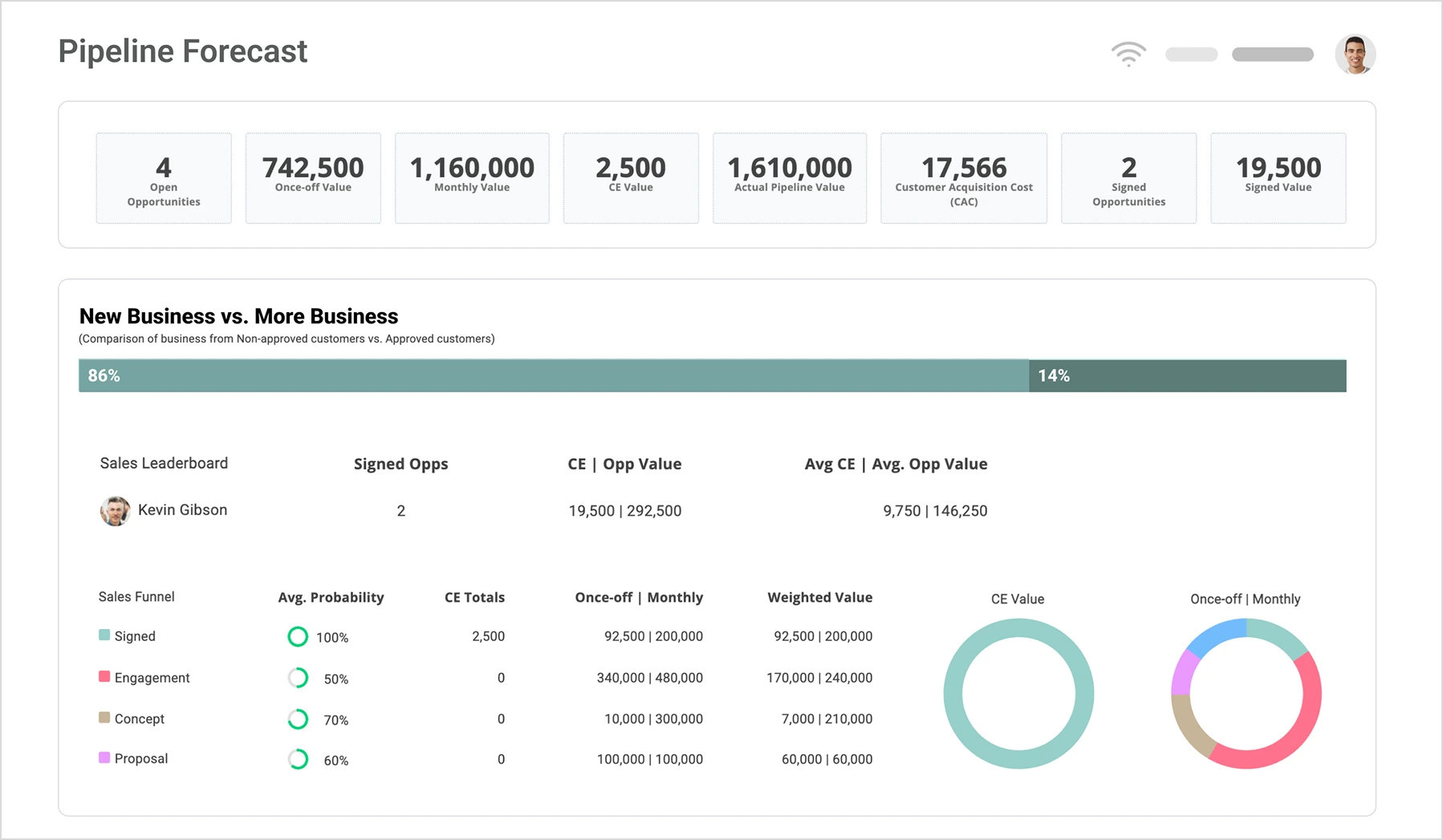
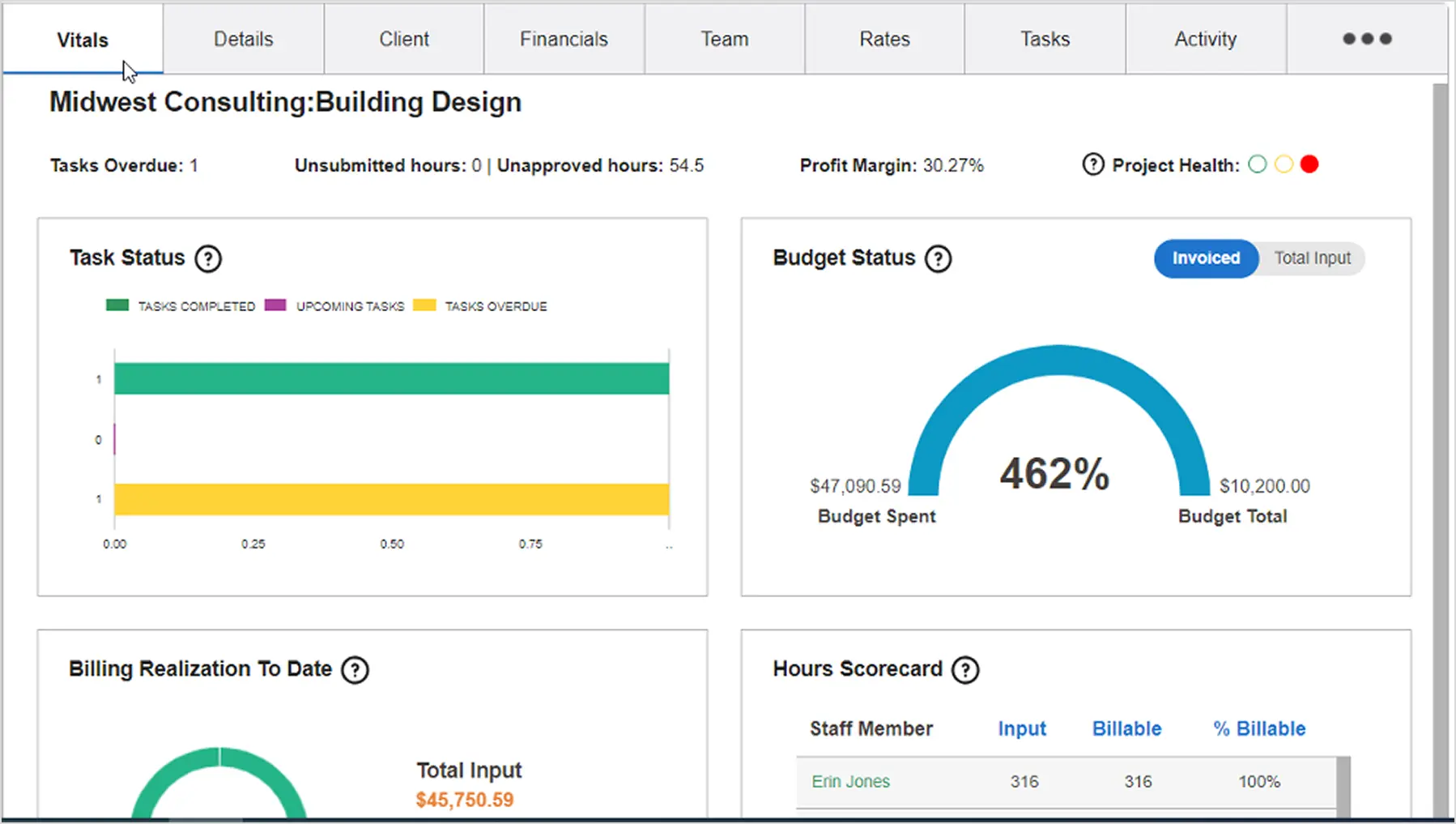
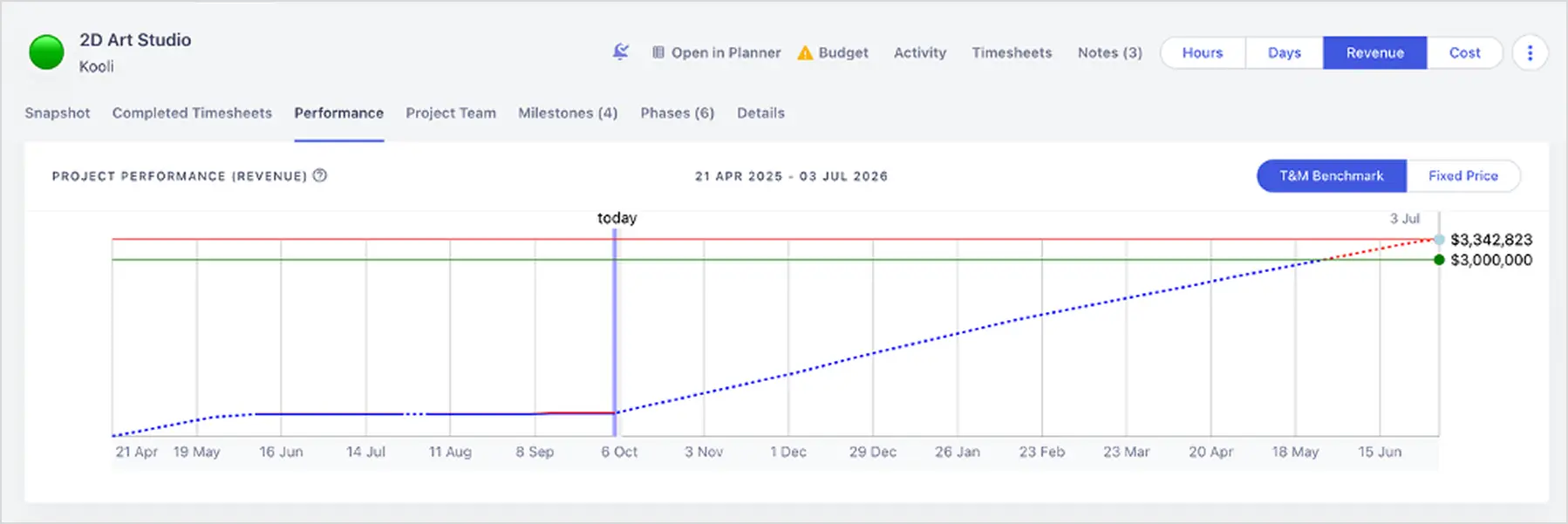
Get a clear view of your business health: Visualise key performance indicators, track project profitability, and monitor client engagements with unparalleled precision through real-time dashboards.

Streamline your financial processes: Combine the strengths of Magnetic with your current systems, so you can benefit from a cohesive financial management experience that enhances accuracy and saves valuable time.

Forecast and plan with confidence: Anticipate future financial trends and plan strategically to ensure sustained growth and financial stability with forecasting tools that provide accurate, real-time financial insights.

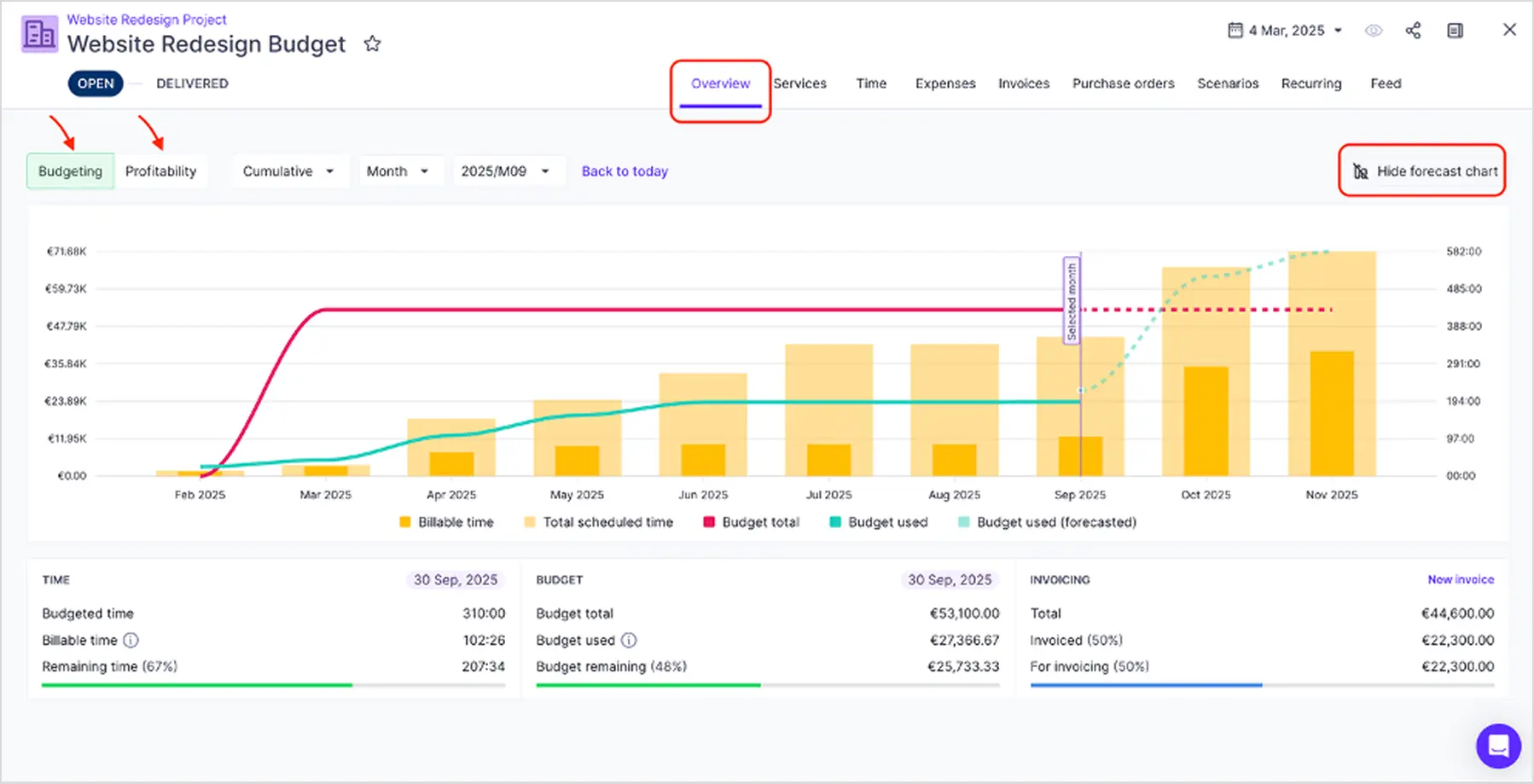
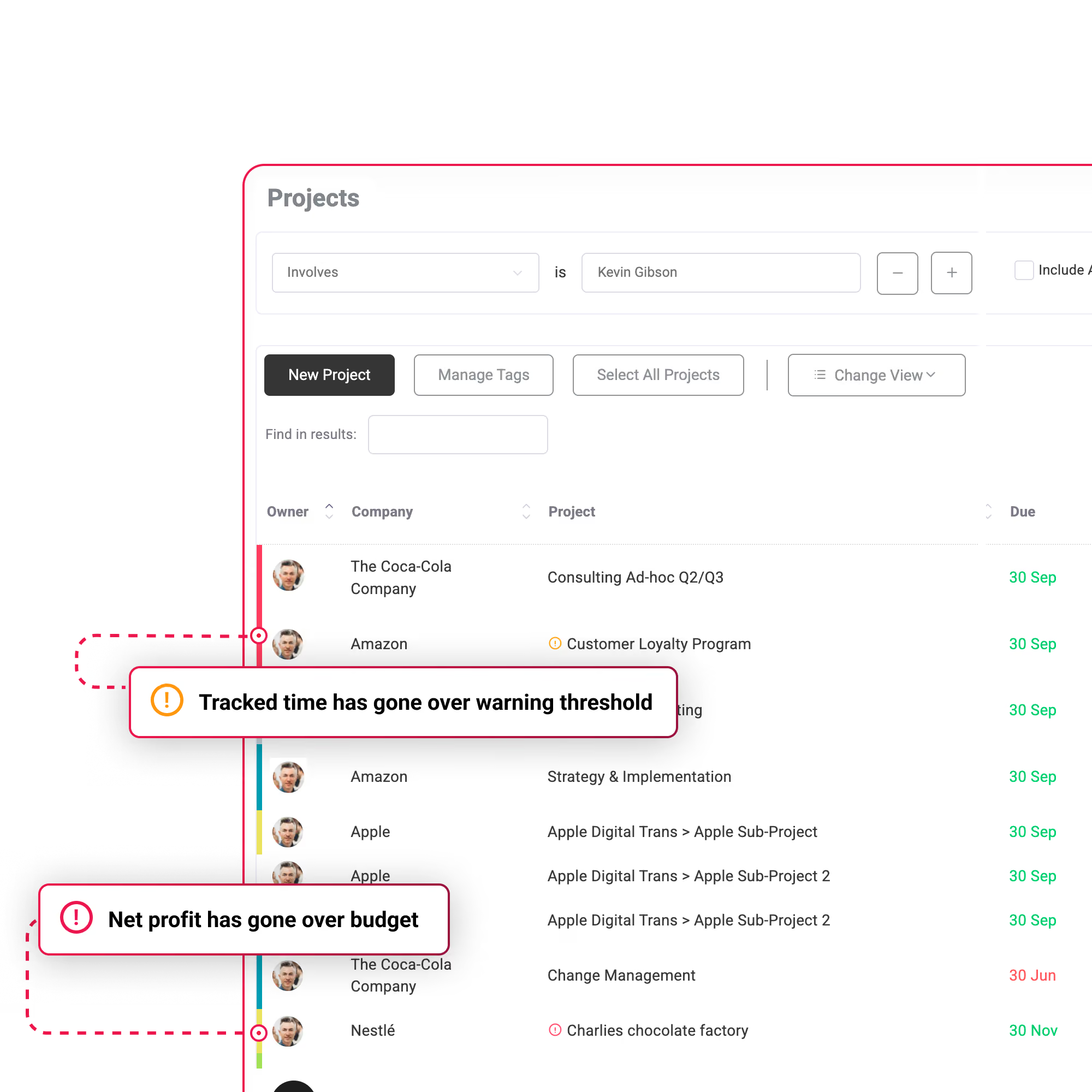
Manage project delivery and costs: Easily monitor billed hours against project estimates to manage and prevent over-servicing with detailed reports that help you track the time spent on each client or project.

Profitability and Revenue Forecasting

Gain real-time insights into your projects' financial health and anticipate future revenue trends with Magnetic's comprehensive dashboards. Optimize profitability by tracking revenue, costs, and margins, and ensure your business is on track for financial success.

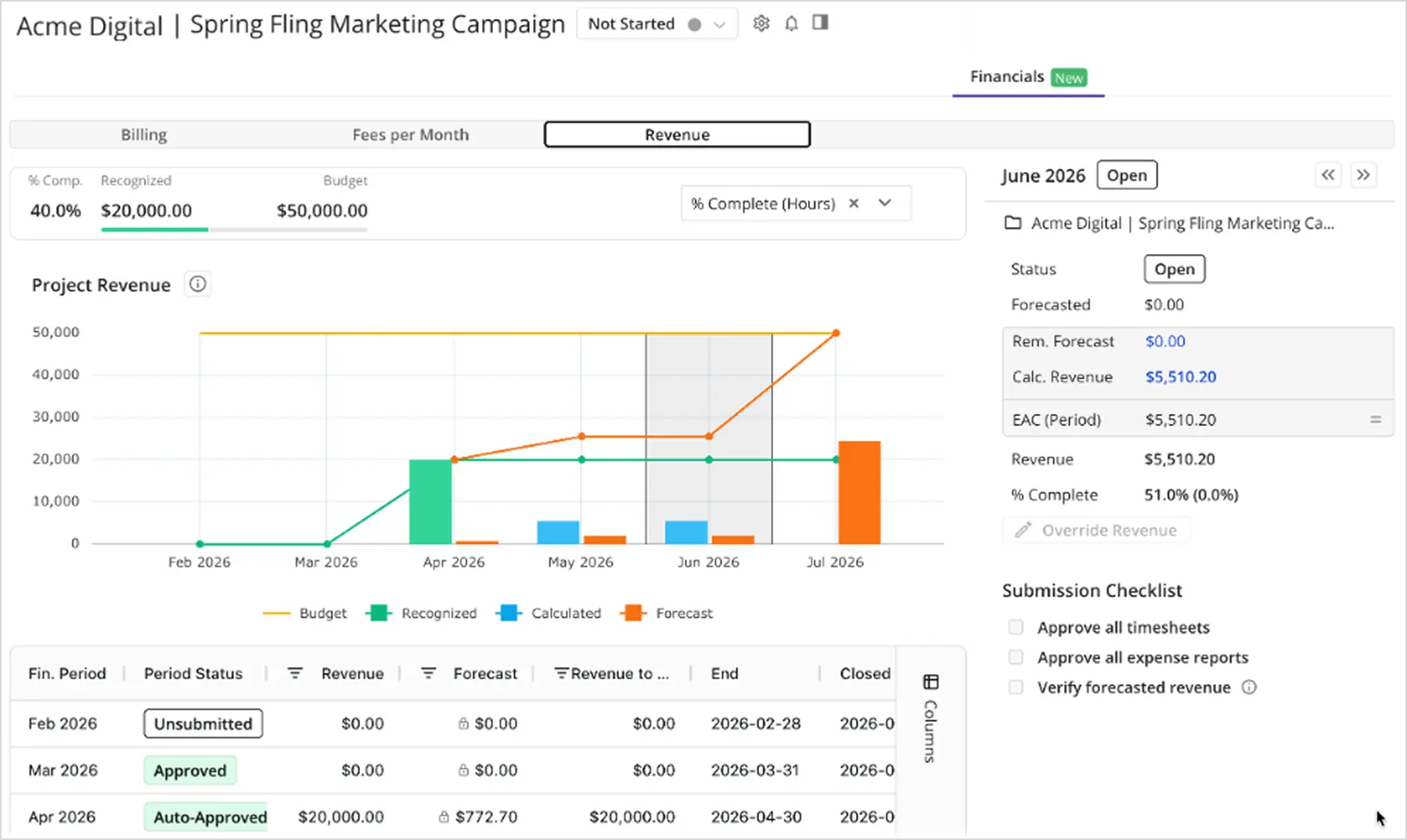
Forecast future revenue and cash flow needs accurately, enabling you to plan for significant investments and navigate financial challenges effectively. The platform connects your pipeline data with your resource capacity, helping you understand not just what revenue is coming, but whether you have the team to deliver it.

Financial Workflows and Managing Over-Servicing

Magnetic's user-friendly tools help prevent over-servicing and streamline financial workflows. Monitor billed hours against project estimates, identify areas of concern early, and adjust service delivery accordingly – before over-servicing becomes a profit problem.

Simplify invoicing and expense management while generating precise cost estimates and customized client rate cards. The platform's automation capabilities mean your team spends less time on administrative tasks and more time on strategic financial planning.

Real-Time Visibility and Integration

Stay informed with real-time updates on project progress, identify bottlenecks early, and ensure your team remains aligned. Magnetic's seamless integration with leading accounting software like Sage, Xero, and Pastel eliminates data silos and streamlines your entire financial management process.

Best for: Mid-market professional services firms (25-200 employees) that want an all-in-one solution combining CRM, project management, resource planning, and financial forecasting without juggling multiple platforms.

Pricing: Custom pricing based on company size and features required. Magnetic offers a 14-day free trial.

Integration: Native integrations with major accounting platforms, deep connectivity between all modules eliminates data silos.

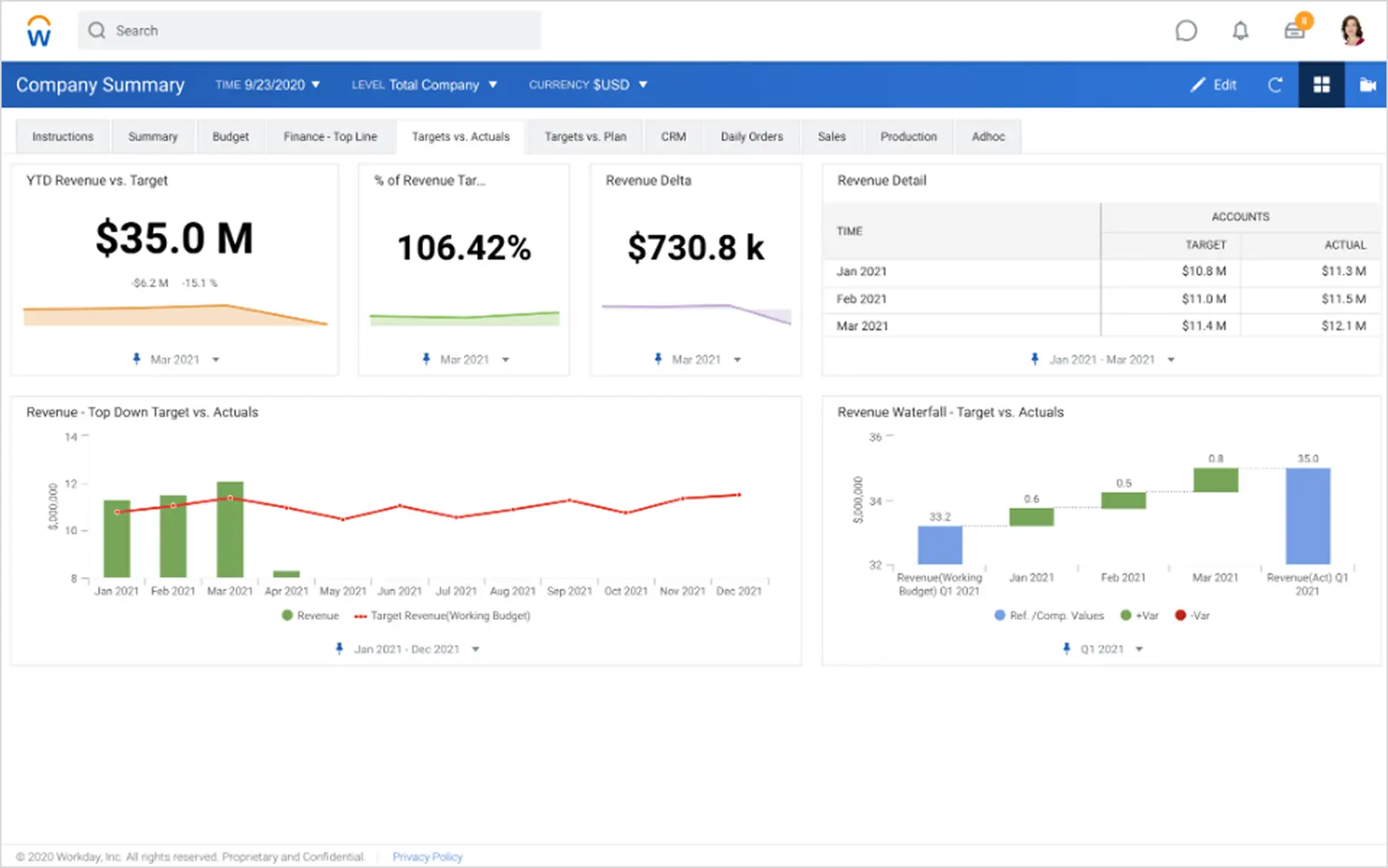
2. Workday

“The only platform fit for rock stars of finance.”

That’s a big claim, but Workday seems to back it up. By embedding AI into the core of their platform, they use it to help you drive ‘flawless operations’ and empower finance to step into the limelight as legends of value creation.They capture the imagination of the modern CFO as a trusted business partner that creates value by providing insights that propel the business forward.

Features that might interest CFOs:

  • Unified platform: Workday offers a unified platform that integrates various financial functions, eliminating the need for multiple systems and reducing data silos.
  • Real-time insights: The system provides real-time visibility into financial data, allowing businesses to make informed decisions quickly.
  • Scalability: Workday is highly scalable, accommodating the growth and changing needs of businesses.
  • Mobile accessibility: The system can be accessed from anywhere, at any time, using mobile devices.
  • Robust analytics: Workday's analytics tools enable businesses to gain deeper insights into their financial performance and identify trends.

Addressing the Needs of Professional Service Firms:

Workday Financial Solutions is particularly well-suited for professional service firms due to its project-based budgeting, time and expense tracking, billing and invoicing, resource management and scenario analysis.

Integrations

Workday integrates seamlessly with a wide range of third-party applications, including CRM systems, HR platforms, and industry-specific tools. This enables businesses to create a unified ecosystem for their operations.

Case Studies:

If you need convincing, look no further than a good case study. If you follow this link, you can see how Salesforce, Shutterstock, Levi’s and Target have made use of the product, or filter by industry if you’re looking for something more relevant to you.

3. Vena Solutions

If you’re a Microsoft house, then this is for you.

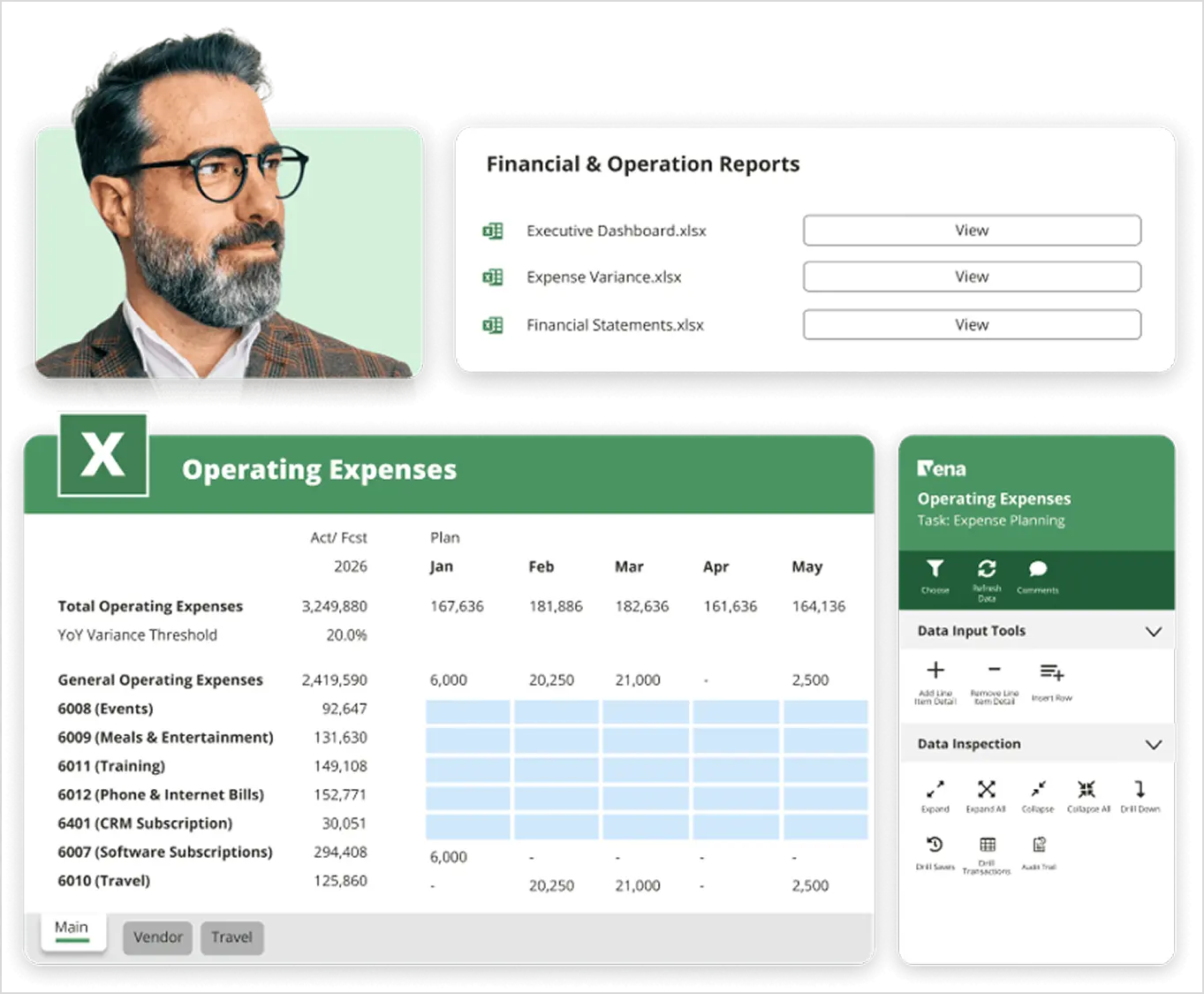
Vena Solutions helps you streamline your planning with the power of AI and the flexibility of Excel. It also simplifies reporting and accelerates analysis as ‘the only complete planning platform natively integrated with Microsoft 365. Expect next-level productivity, powerful financial insights and improved capacity for strategic work.  

Features that might interest CFOs:

  • Project-based budgeting: Vena accommodates the project-centric nature of professional services by allowing for detailed budgeting and forecasting at the project level.
  • Resource management: Track resource allocation across projects, ensuring efficient utilisation of personnel and equipment.  
  • Scenario planning: Model different financial scenarios to assess potential risks and opportunities, allowing for better strategic decision-making.  
  • Real-time visibility: Gain instant insights into financial performance with real-time data dashboards, facilitating proactive adjustments.

Simplifying the budgeting process

Vena Solutions simplifies budgeting by automating tasks and providing an Excel-based interface with features like version control and workflow management. This ensures data accuracy and facilitates collaboration among teams, who can access and update budgets simultaneously. Vena's centralised repository for financial documents further enhances transparency and communication.

Enhanced collaboration

Collaboration is a cornerstone of Vena's platform. Teams from different departments can access and update budgets simultaneously, fostering better communication and transparency. The platform also provides a centralised repository for financial documents and reports, making them easily accessible to all stakeholders.  

Some usage examples

  • An engineering firm could use Vena to forecast project costs, track billable hours, and optimise resource allocation across multiple projects.
  • An architectural firm might leverage Vena's scenario planning capabilities to model the financial impact of different design proposals and fee structures.
  • A consulting firm could use Vena's real-time data dashboards to monitor project profitability and identify potential budget variances early on.

Integration capabilities

Vena integrates with most popular systems, including Microsoft 365 apps, ERP accounting systems, CRMs, HRIS systems and more. Click here for a deep dive.

4. Planful

This one’s for the movers and shakers among the money-makers.

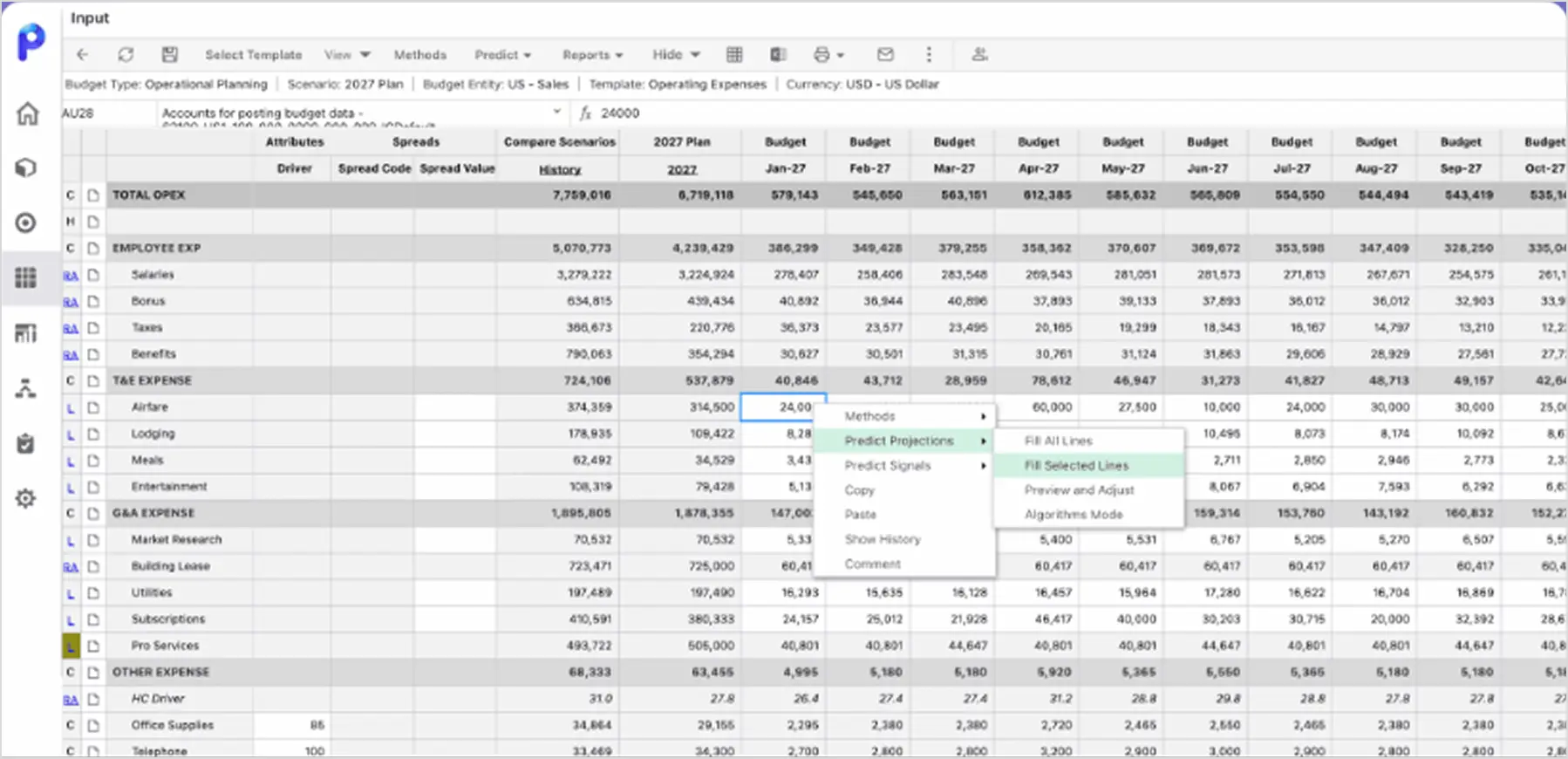
Planful is all about financial agility and taking control of your company's financial performance in an ever-changing landscape. Planful transforms the way you plan, close, and report so you can drive more impactful decisions across your business. Align every squad, inform every move, and change direction using a platform designed to improve your performance.

Features that might interest CFOs:

  • Automation: Planful automates repetitive tasks like data entry and consolidation, freeing up valuable time for analysis and strategic planning.  
  • Real-time reporting: Gain instant insights into your financial performance with Planful's dynamic dashboards and reports. This allows for proactive adjustments and course corrections as needed.
  • Financial planning: Planful offers comprehensive financial planning tools, including budgeting, forecasting, and scenario planning.  
  • Multi-scenario planning: Model different financial scenarios specific to professional services, including fluctuations in project scope, billable hours, and resource availability. This allows you to prepare for potential risks and capitalise on unexpected opportunities.
  • Resource allocation: Optimise resource allocation with real-time data on project demands and team availability. Planful ensures skilled personnel are assigned to the right projects at the right time

Customer success stories:

Although you might not find the world’s biggest brand names among Planful’s case studies, it is a very long list of some pretty large companies, all of whom are smiling all the way to the bank account. Take a squizz and see if there’s one that resonates with you.

5. Prophix

Prophix One is a financial performance platform for next-gen finance teams. They’ve placed a focus on having a single platform – “One portal, one experience, one single version of the truth. All on one financial performance platform.”

That’s a very good marketing angle, but let’s take a closer look.

Features that might interest CFOs:

  • Enhanced forecasting: Prophix provides robust forecasting capabilities, allowing firms to predict revenue, expenses, and profitability with greater accuracy. This enables them to make informed decisions about resource allocation, pricing strategies, and business expansion.
  • Streamlined performance management: Prophix centralises budgeting, planning, reporting, and consolidation processes in a single platform, facilitating efficient performance management. This reduces complexity and provides a holistic view of the financial health of the firm.  
    Improved visibility: Real-time dashboards and reports empower leaders to track key metrics, identify trends, and make adjustments as needed. This proactive approach ensures the firm remains on track to achieve its financial goals.  
  • Ease of use and customisation: Prophix prioritises user-friendliness with an intuitive interface that minimises the need for training time. Its drag-and-drop functionality allows for easy customisation of workflows and reports to cater to the specific needs of each professional service firm.

For complex financial processes

Prophix can handle the intricacies of project-based financial management faced by professional service firms. It allows for detailed budgeting at the project level, tracking of billable hours and costs, and efficient resource allocation.

From construction and education to property and healthcare, Prophix boasts a healthy set of case studies and success stories for you to read over here.

Quick Comparison: Top 7 Tools at a Glance

What's the Real ROI of Budgeting and Forecasting Software?

CFOs evaluating these tools always ask the same question: "Will this actually pay for itself?" The research provides a clear answer: yes, decisively.

Quantifiable Benefits

Faster budgeting cycles

Firms using specialised platforms report 40-60% reduction in time spent on budget creation and consolidation. If your finance team currently spends 3-4 weeks building annual budgets, dedicated software can cut this to 1-2 weeks, freeing up valuable time for analysis instead of data wrangling.

That time savings is worth real money. A finance team of three people spending three weeks on budgeting represents approximately $15,000-20,000 in fully-loaded labor costs. Cut that time in half, and you've paid for a significant portion of your software investment in year one alone.

Improved forecast accuracy

Professional services firms with sophisticated forecasting processes hit their profit margin targets 4x more often than those relying on spreadsheets (80% vs. 20% consistency rate, according to Harvest's 2025 research).

When you consider that the average professional services project generates $50,000-200,000 in revenue, hitting your margin targets consistently rather than missing them 80% of the time translates to hundreds of thousands in improved profitability annually.

Reduced project overruns

Firms with real-time budget visibility report 30-40% fewer projects going over budget. When you can see variance early, you can adjust scope, staffing, or client expectations before profit evaporates.

With project overruns averaging 11.3% across the industry, reducing that by even a third represents significant profit recovery. On a $5 million annual project portfolio, that's $170,000 in overruns prevented.

Higher billable utilisation

Tools that connect resource planning with forecasting help firms maintain utilisation rates 3-5 percentage points higher than industry averages. With average billable rates of $150-300/hour, even a 3% utilisation improvement on a 50-person team translates to $450,000+ in additional revenue annually.

Consider the math: 50 people × 2,000 work hours per year × 3% improved utilisation × $150/hour = $450,000 in additional billable revenue, year after year.

Typical Payback Period

For a mid-sized professional services firm (50-200 employees):

Costs:

  • Software: $30,000 - $100,000 annually
  • Implementation: $10,000 - $50,000 one-time
  • Training and change management: $5,000 - $15,000

Returns:

  • Time savings: 500-1,000 hours of finance/PM time annually ($25,000-50,000 value)
  • Revenue improvement: $200,000 - $500,000 from better utilization and fewer overruns
  • Error reduction: $10,000 - $30,000 in prevented mistakes and rework

Most firms see positive ROI within 6-12 months, with ongoing benefits compounding as teams become more proficient with the tools and integrate them more deeply into their workflows.

The Cost of NOT Having Proper Tools

Consider what you're losing to inadequate forecasting right now:

  • Project overruns at 11.3% mean you're leaving 11% of potential profit on the table across your entire project portfolio
  • Missing margin targets 80% of the time means chronic, systemic under-performance that compounds quarterly and annually
  • Manual consolidation taking weeks means decisions based on stale data, missed opportunities, and reactive rather than proactive management
  • Disconnected systems mean errors, rework, duplicate data entry, and lost billing opportunities that add up to thousands of hours annually

The question isn't whether you can afford budgeting and forecasting software. It's whether you can afford to keep operating without it while your competitors gain the advantages of real-time visibility, accurate forecasting, and data-driven decision making.

How Long Does Implementation Take?

One of the biggest concerns Finance Managers raise: "Will this disrupt our operations for months while we're trying to implement it?"

The good news: modern cloud-based budgeting and forecasting tools are designed for faster deployment than legacy systems. Here's what to realistically expect:

Typical Timeline by Firm Size

Small Firms (10-50 employees)

  • Configuration and setup: 2-4 weeks
  • Data migration and validation: 1 week
  • User training and adoption: 3-5 days
  • Go-live to productive use: 4-6 weeks total

Mid-sized Firms (50-200 employees)

  • Requirements gathering and scoping: 1-2 weeks
  • System configuration and customisation: 4-6 weeks
  • Integration setup with existing systems: 2-3 weeks
  • Data migration, validation, and reconciliation: 2 weeks
  • Phased user training and onboarding: 2-3 weeks
  • Go-live to productive use: 8-12 weeks total

Large/Enterprise Firms (200+ employees)

  • Planning, requirements, and stakeholder alignment: 3-4 weeks
  • Configuration and customisation: 6-10 weeks
  • Complex integrations (multiple ERP, CRM, legacy systems): 4-6 weeks
  • Data migration, cleansing, and comprehensive testing: 3-4 weeks
  • Department-by-department rollout and training: 4-6 weeks
  • Go-live to productive use: 16-24 weeks total

Keys to Faster, Smoother Implementation

Start with clean data: The #1 cause of implementation delays is messy historical data. Spend 1-2 weeks auditing and cleaning your chart of accounts, project codes, and client records before the vendor even starts implementation. This investment pays dividends in reduced headaches later.

Prioritise critical integrations: Identify your 3-5 mission-critical integrations (likely your accounting software, CRM, and time tracking platform) and configure those first. Get those working perfectly before tackling nice-to-have connections.

Use industry templates: Most platforms offer industry-specific templates for professional services. Start with these rather than building everything from scratch. You can always customize later once you understand how the system works.

Phased rollout approach: Begin with one department, project type, or office. Validate the process, build internal expertise, then expand. This reduces risk, builds confidence, and creates internal champions who can help train others.

Dedicated project leadership: Assign someone – usually a senior finance or operations person – to own the implementation full-time. Split attention between implementation and their regular job guarantees delayed timelines and compromised results.

Executive sponsorship: Make sure leadership actively supports the project. When the CFO or COO communicates that this is a priority, adoption accelerates. Without that sponsorship, implementation drags.

Change Management Matters More Than Technology

Here's what vendors won't always tell you: the technology implementation is often shorter than the organizational adoption period.

Plan for 2-3 months of change management after go-live, including:

  • Ongoing training sessions and office hours
  • Process refinement based on actual usage
  • Addressing user questions and resistance
  • Adjusting workflows as you discover better ways to use the tool
  • Building new reports and dashboards based on emerging needs

Firms that invest in proper change management see adoption rates 60-70% higher than those that simply "flip the switch" and expect people to figure it out. The difference between successful and failed implementations usually comes down to how well you manage the human side, not the technical side.

How to Choose the Right Budgeting and Forecasting Tool for Your Firm

When selecting a budgeting and forecasting tool, CFOs and financial managers should carefully consider the specific needs of their firm. Here are the key factors that separate successful implementations from expensive mistakes:

Company Size and Complexity

Smaller firms (10-50 employees) typically benefit from cloud-based tools that offer simplicity and affordability without overwhelming features they'll never use. Look for solutions with straightforward setup, minimal customisation requirements, and pricing that makes sense at your scale.

Mid-sized firms (50-200 employees) need the sweet spot: enough sophistication to handle complexity, but not so much that you're paying for enterprise features you don't need. Focus on tools with strong integration capabilities and room to grow.

Larger firms (200+ employees) with complex financial operations require advanced analytics, multi-entity consolidation, sophisticated workflow management, and the ability to handle multiple currencies, business units, and reporting structures.

Don't buy enterprise software if you're a 30-person firm just because you aspire to be bigger. Equally, don't choose a small-business tool if you're already 150 people and growing – you'll outgrow it in 18 months and face another painful migration.

Integration Requirements

Assess the tool's ability to integrate with your current accounting software (QuickBooks, Xero, Sage, NetSuite), CRM systems (Salesforce, HubSpot), time tracking platforms, and other business applications.

Ask yourself:

  • What systems absolutely must connect for this to work?
  • Are those integrations native (built by the vendor) or third-party (through Zapier, etc.)?
  • How often does data sync? Real-time, hourly, daily?
  • What happens when the integration breaks? (Because it will, eventually)
  • Can you build custom integrations if needed, or are you locked into pre-built options?

Seamless integration can streamline workflows and reduce manual data entry. Poor integration creates more work than the tool saves.

Budget Considerations

Pricing models: Consider the different pricing models offered by vendors:

  • Per-user pricing: Predictable but can get expensive as you grow
  • Company-size tiers: Good for planning but watch for pricing jumps at tier boundaries
  • Usage-based: Flexible but unpredictable; hard to budget
  • Perpetual licensing: Rare in modern SaaS, usually outdated technology

Hidden costs to uncover:

  • Implementation fees: Can equal or exceed annual software costs
  • Training expenses: Both initial and ongoing
  • Customization charges: Many vendors charge extra for custom reports, workflows
  • Integration costs: Connecting to other systems may require additional fees
  • Support tiers: Basic support may be inadequate; premium support costs more
  • Data storage overages: Some vendors charge extra for historical data retention
  • User additions: Understand the cost per additional user as you grow

Get total cost of ownership for 3 years, not just year one pricing.

Scalability and Support

Future growth: Evaluate the tool's ability to scale with your firm's growth and changing needs. Ask:

  • What happens at 2x our current size?
  • Can we add modules/features later without reimplementing?
  • How do other customers handle growth on this platform?

Support services: Consider the level of support provided by the vendor:

  • What's included in base pricing vs. premium tiers?
  • Response time commitments (4 hours? 24 hours? Next business day?)
  • Availability (24/7, business hours, time zones?)
  • Quality of documentation and self-service resources
  • User community and peer support
  • Dedicated customer success manager or pool support?

Check review sites (G2, Capterra) for real user experiences with support quality. A great tool with terrible support becomes a terrible tool.

Additional Decision Factors

Demo thoroughly: Request a demo or trial using YOUR actual data and use cases. Generic demos with sample data hide problems. Most tools offer free trials – use them with real projects to see what breaks.

User feedback: Seek feedback from other professional services firms that have implemented the tool. LinkedIn and industry associations are good sources for honest peer reviews. Ask:

  • What surprised you after implementation?
  • What do you wish you'd known before buying?
  • What nearly derailed your implementation?
  • Would you choose this tool again?

Long-term vision: Consider your firm's strategic direction:

  • If you plan to acquire other firms, can this tool handle consolidation?
  • If you're expanding internationally, does it handle multiple currencies and tax jurisdictions?
  • If you're shifting service lines, can the tool adapt?
  • If you're pursuing specific certifications or compliance requirements, does it support those?

Vendor stability: Is the vendor financially stable? Are they being acquired? How often do they release updates? A vendor going out of business or being acquired can disrupt your operations significantly.

By carefully evaluating these factors, CFOs and financial controllers can select a budgeting and forecasting tool that meets current needs, scales with growth, and drives financial success rather than becoming an expensive regret.

Streamlining Financial Planning with the Right Tools

That's what this decision ultimately comes down to – streamlining operations so your finance team can focus on strategy rather than manual consolidation.

CFOs already have their models, their ideas, and their processes in place. The right budgeting and forecasting tool doesn't replace those; it amplifies them. It automates the automatable, provides the right information at the right time, and helps you look to the future with confidence backed by data.

With improved accuracy, enhanced collaboration, and the ability to make strategic decisions based on real-time data rather than month-old spreadsheets, specialized software lays the foundation for sustainable growth and profitability.

The professional services industry is facing real financial pressure. EBITDA margins are at five-year lows. Project overruns are increasing. Firms are missing their profit targets 80% of the time. These aren't temporary problems that will resolve themselves – they're systemic challenges that require better tools and processes.

Firms that invest in proper budgeting and forecasting software now are positioning themselves to navigate these challenges successfully. Those that continue relying on spreadsheets and disconnected systems will find themselves increasingly uncompetitive as their margins erode and their forecasting accuracy lags behind more sophisticated competitors.

Consider Magnetic for Your Professional Services Firm

Magnetic isn't just a strong budgeting and forecasting tool – it's an all-in-one solution that also includes CRM, timesheets, project management, automation, resource management, and comprehensive reporting.

By connecting all these functions in one platform, Magnetic eliminates the data silos and disconnects that plague professional services firms using multiple point solutions. Your time tracking automatically flows into your project budgets. Your resource allocation connects to your financial forecasts. Your CRM pipeline data informs your revenue projections.

Want to see how it works for firms like yours? Book a demo or try it free for 14 days – no credit card required.

Related Reading:

Research Citations:

  1. Kantata/Forrester Research (2024) - "62% of professional services firms find it very difficult to predict project resource needs in advance"
  2. Harvest 2025 Professional Services Trends Report - Forecasting sophistication and margin target achievement
  3. RMI (Resource Management Institute) Forecasting Report 2024 - Spreadsheet usage trends and forecasting excellence ratings
  4. Deltek 2025 Professional Services Benchmarks - EBITDA margins, billable utilization, project overruns
  5. NetSuite Professional Services Research - Cash flow and visibility challenges
  6. Cherry Bekaert 2025 Professional Services Outlook - ERP and FP&A strategies
  7. Upland PSA State of Professional Services 2024 - Workforce and technology trends
  8. Research and Markets 2025 - Professional Services Market projections

FAQs

Why do professional services firms need specialised budgeting and forecasting tools?

Because project based revenue is unpredictable, firms in engineering, consulting, and architecture need tools that can actually track billable hours, forecast project costs and allocate resources efficiently. These tools provide greater accuracy and control than generic financial software.

What are the key features to look for in budgeting and forecasting software?

Essential features include seamless integration with existing systems (accounting, CRM, time tracking), robust scenario planning capabilities, real-time data analysis and dashboards, scalability to accommodate growth, user-friendly design that encourages adoption, and the ability to customise workflows and reports to match your processes. For professional services specifically, project-based budgeting and resource capacity planning are non-negotiable requirements.

How do these tools improve financial decision-making?

They provide real-time insights into costs, revenue, and profitability that simply aren't available with spreadsheet-based approaches. With accurate forecasts and automated reporting, CFOs and financial managers can make proactive decisions about pricing, resource allocation, and long-term growth strategies based on current data rather than week-old or month-old information. The visibility to spot project variance early means you can intervene before small problems become major profit issues.

Can budgeting and forecasting tools help prevent over-servicing?

Absolutely. By monitoring billed hours against project estimates in real-time and automating cost tracking, these tools highlight areas where projects risk going over budget before significant damage occurs. This visibility helps firms adjust service delivery, renegotiate scope, or have tough conversations with clients while there's still time to protect profitability. Firms report 30-40% fewer project overruns when using specialized tools versus spreadsheet-based tracking.

How does Magnetic compare to other budgeting and forecasting tools?

Magnetic offers comprehensive finance management as part of an all-in-one platform that also includes CRM, timesheets, project management, resource management, and reporting. This eliminates the data silos and integration challenges that plague firms using multiple disconnected systems. While standalone tools like Workday or Vena may offer more specialized forecasting features, Magnetic provides the advantage of having all your operational and financial data in one platform, giving you a complete view of both financial and operational performance without juggling multiple systems.

What should firms consider before choosing a budgeting and forecasting solution?

Key factors include company size and complexity (don't over-buy or under-buy), integration requirements with existing systems, total cost of ownership including hidden implementation and support costs, scalability to accommodate future growth, and vendor support quality. It's critical to request demos using your actual data and use cases, gather feedback from peer firms in your industry, ensure the tool aligns with your long-term strategic goals, and verify the vendor's financial stability. Most firms benefit from free trials to test with real projects before committing to multi-year contracts.

About The Author
René Praestholm
25+ years in professional services software. Former COO of Workbook Software (15 years) and VP of Global Agency Solutions at Deltek. One of the most experienced leaders in the PSA Software category
Back to top