 GlobalGlobal


Basecamp works well for straightforward project coordination, but teams often look elsewhere when they meed time tracking, resource planning, reporting or financial visibility. .
Magnetic is the strongest fit for professional services firms that want pipeline, projects, resourcing and reporting connected in one platform.
monday.com, Wrike and ClickUp provide greater wprkflow flexibility, but their effectiveness depends on careful setup and constistent workspace management.
More specialised options include Ravetree and Avaza for billable client work, Zohot projects for an easier migration and Nifty or MeisterTask for quick adoption.
Pricing should not determine the shortlist on its own. Migration effort, training, governance and the limitations of entry-level plans also need to be considered.
Basecamp is intentionally designed to support:
Basecamp is not designed to be:
As teams evolve and grow, they often run into scenarios like:
It is typically at this point, that teams begin exploring alternative tools that will provide more structure, visibility or interaction and this is where Basecamp alternatives come in.
This guide compares 10 Basecamp alternatives with a practical lens, what each tool is designed for, how pricing works and which features matter most.

This list was built around real buying criteria and not just surface-level features.
Each tool was evaluated on:
We also considered what teams often underestimate:
No tool evaluated in this list is positioned as universally "better". Each tool services the unique needs of different team sizes, industries and operating models.
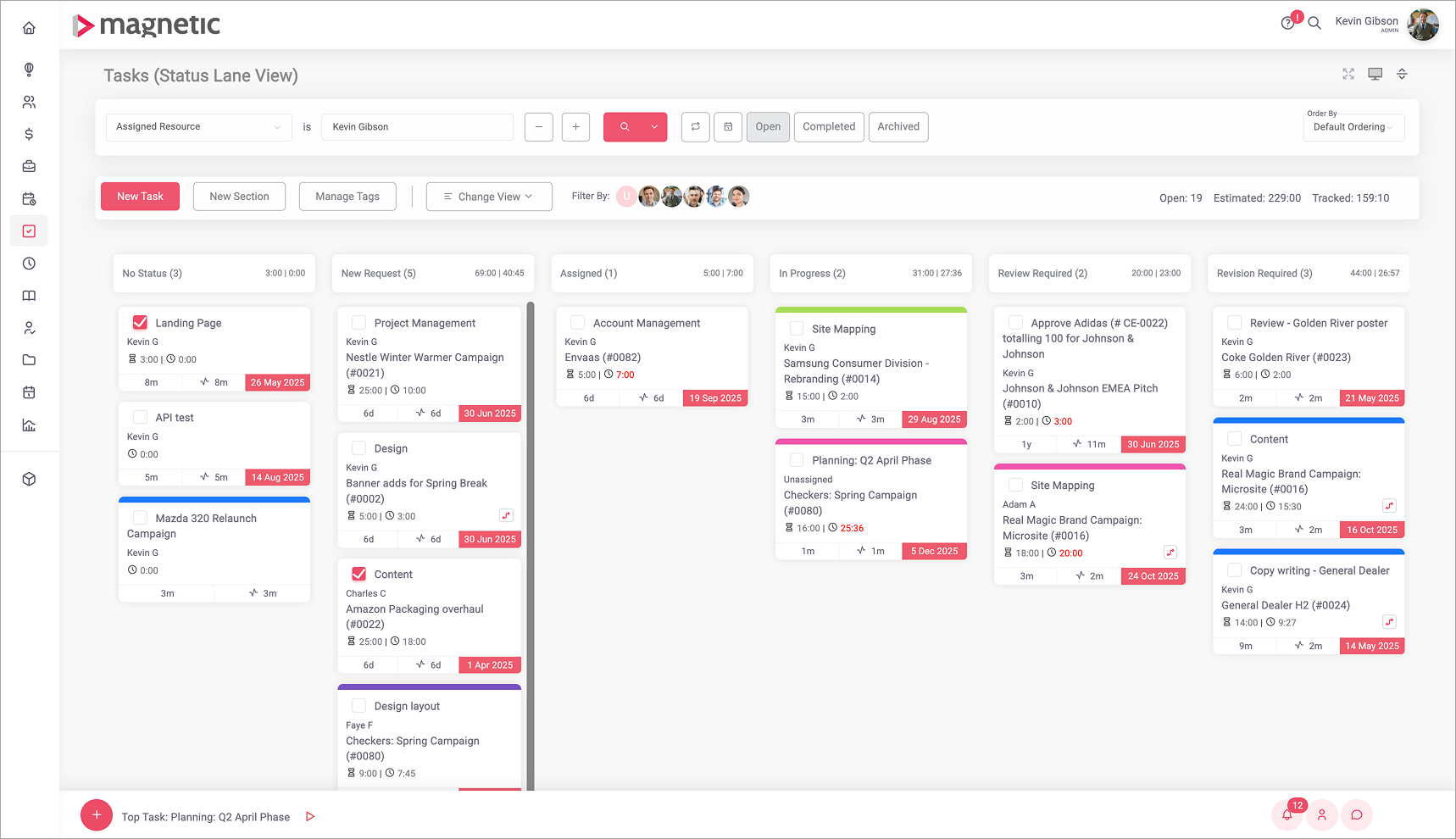
Magnetic was designed for teams that want projects, time and business visibility in one system.
Key features:
This makes Magnetic relevant to professional services businesses that sell time and need to understand not just what is being worked on, but how delivery connects to revenue, capacity and growth.
Best for:
Pros
Things to consider:
Pricing:
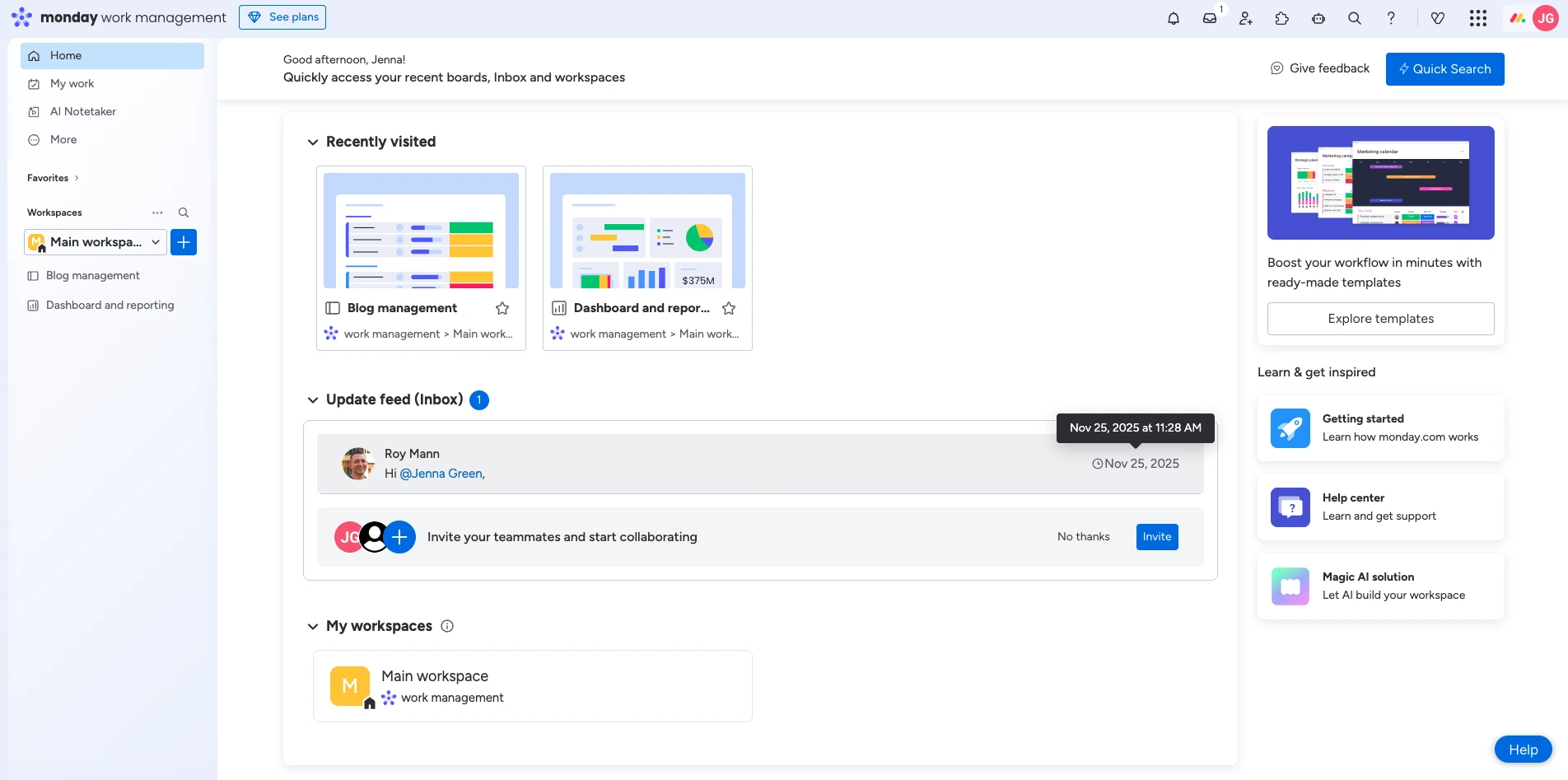
Monday.com is a popular choice for teams that need to customise workflows to their way of working, rather than adapting to a fixed structure. It is built around flexible boards with custom columns, easy-to-set-up automations and multiple views (including timeline and workload)
It works well for teams that are looking to standardise processes across departments, as long as there is a dedicated champion to own the setup and keep boards consistent across the business.
Best for: Teams that want flexibility and are comfortable designing workflows
Key features:
Pros:
Cons:
Pricing:
Starts at $8 per-user per month (free plan available with limited seats)
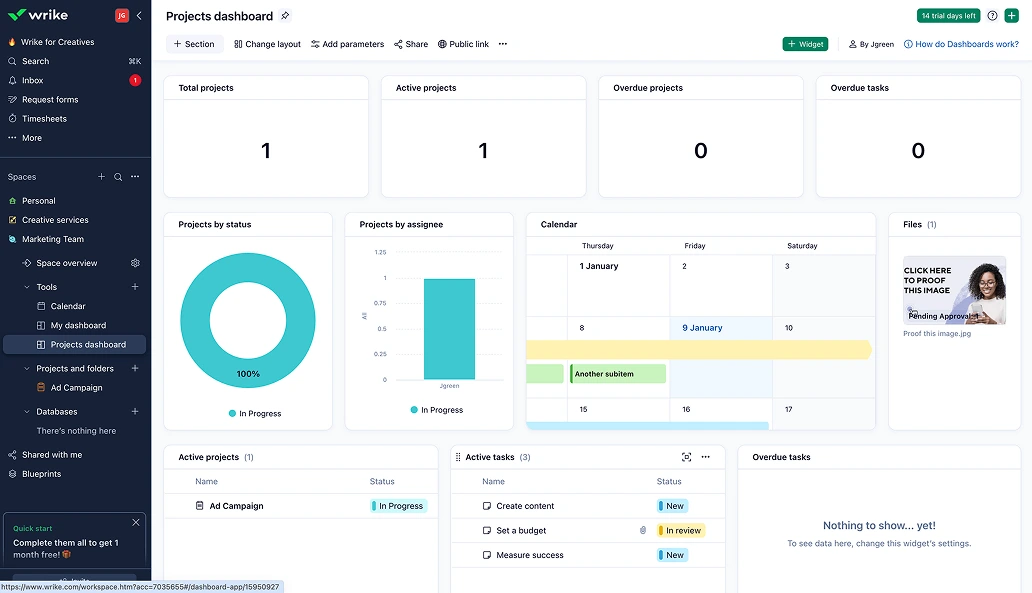
Wrike is designed for teams that are focused on coordinating work across multiple functions. It provides structured project planning, dependency management and dashboards that help teams manage complexity as they scale. It is often chosen when teams require better visibility across workstreams, more formal workflows or stronger control over permissions and approvals.
Best for: Mid-sized to large teams that manage cross-functional projects
Key Features:
Pros:
Cons:
Pricing: Starts at $9.80 per user per month
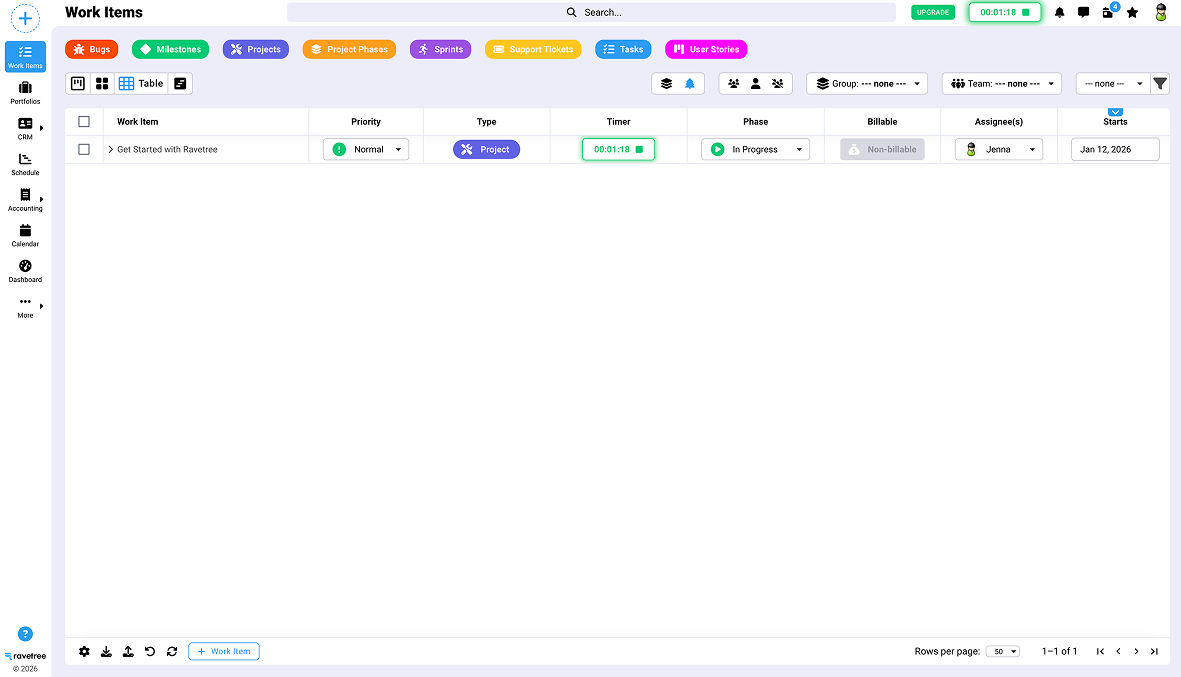
Ravetree is built for agencies and creative teams that need more than just task tracking, It combines project management with time tracking, resource planning, file storage and even a basic CRM. Instead of treating time and budgets as separate functions, Ravetree keeps them connected to projects, which helps teams monitor delivery performance and profitability
Best for: Agencies and consultancies that need to track billable time, resourcing and budgets.
Key features:
Pros:
Cons:
Pricing: Starts $39 per user month
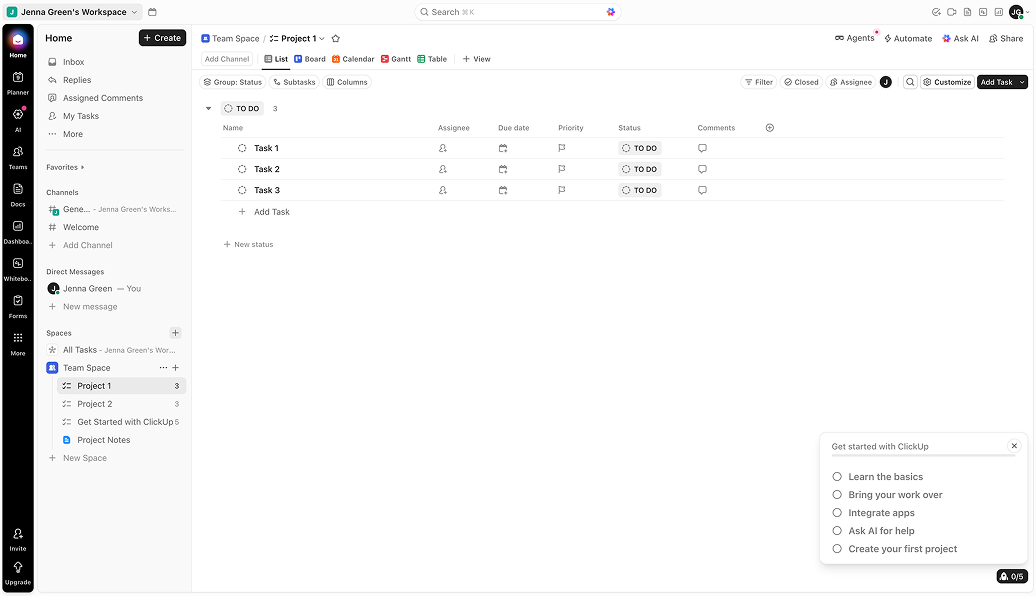
ClickUp provides one of the most feature-rich plans in the project management software category. It consolidates tasks, documents, whiteboards, time tracking and dashboards, making it an ideal tool for teams that want flexibility and feature depth without the commitment.
For teams that are looking to build their own system, ClickUp is a strong contender - especially with the consistent workspace conventions it offers.
Best for:
Key Features:
Pros
Cons:
Pricing: Free plan available. Paid plans start at $7 per user per month
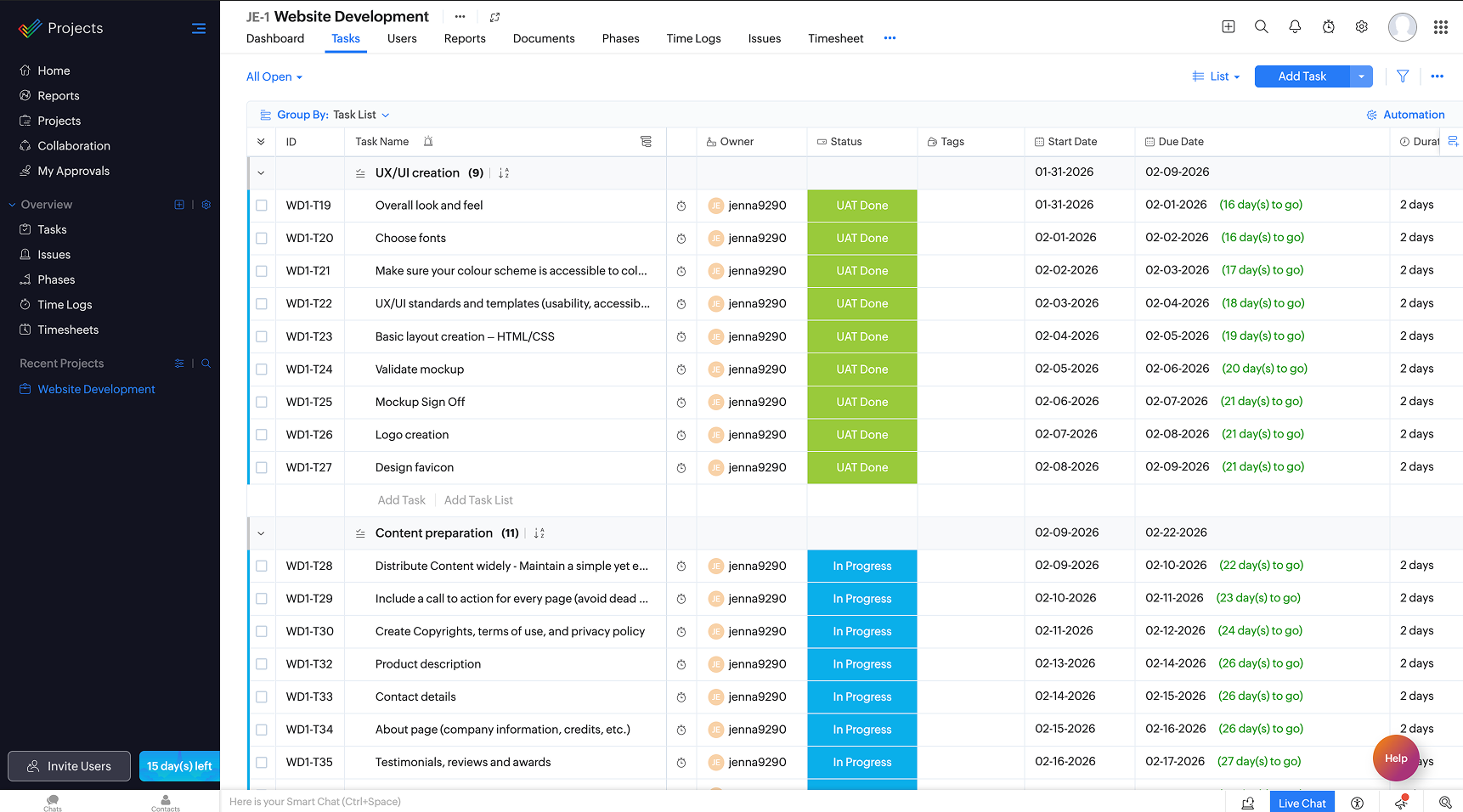
Zoho projects is frequently chosen by teams who want a structured project management system with strong value-based pricing and an easy migration path from Basecamp.
It offers features like tasks, milestones, time tracking and Gantt charts and its often compelling for teams that are already in the Zoho ecosystem (Zoho CRM, Zoho Books etc.).
Best for: Teams that require predictable project deliver and smooth migration from Basecamp
Key features:
Pros:
Cons:
Pricing: Starts at $5 per user per month (free plan available with limited users)
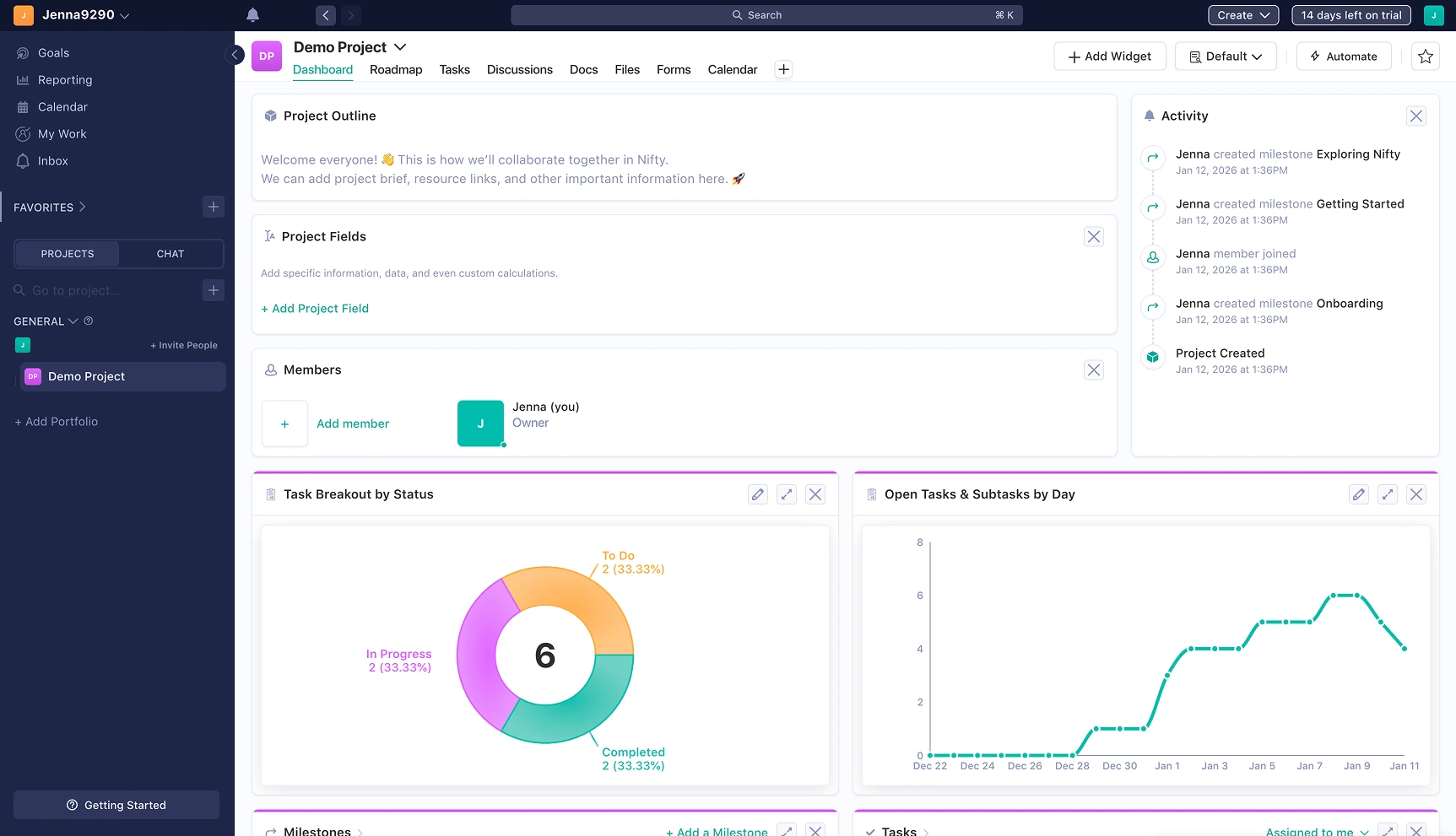
Nifty focuses on the balance between simplicity and planning features. It is a good option for teams who prefer Basecamp's collaborative experience, but need timelines, milestone tracking and more structured project supervision.
Best for: Teams that need quick adoption with added planning structure
Key features:
Pros:
Cons:
Pricing: Starts at $5 per user per month (limited free plan available)
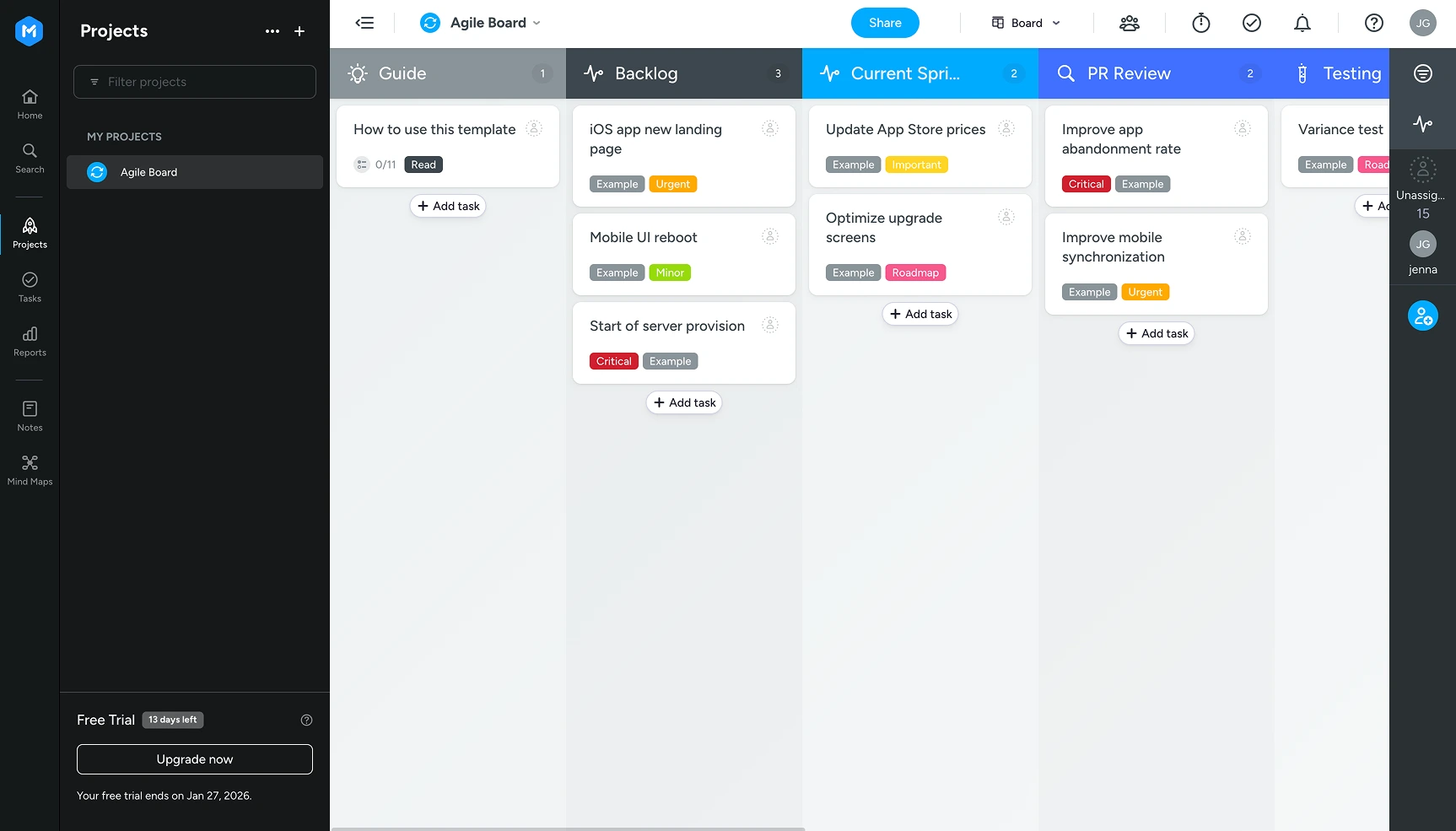
MeisterTask is a visually led, Kanban-style tool, that is often preferred by creative and product heavy teams. It is designed to make task progression easy to understand, with the option to automate and integrate with existing tools for repeatable processes.
Best for: Teams that prefer visual workflows
Key features:
Pros:
Cons:
Pricing: Starts at $6.50 per month (free plan available)
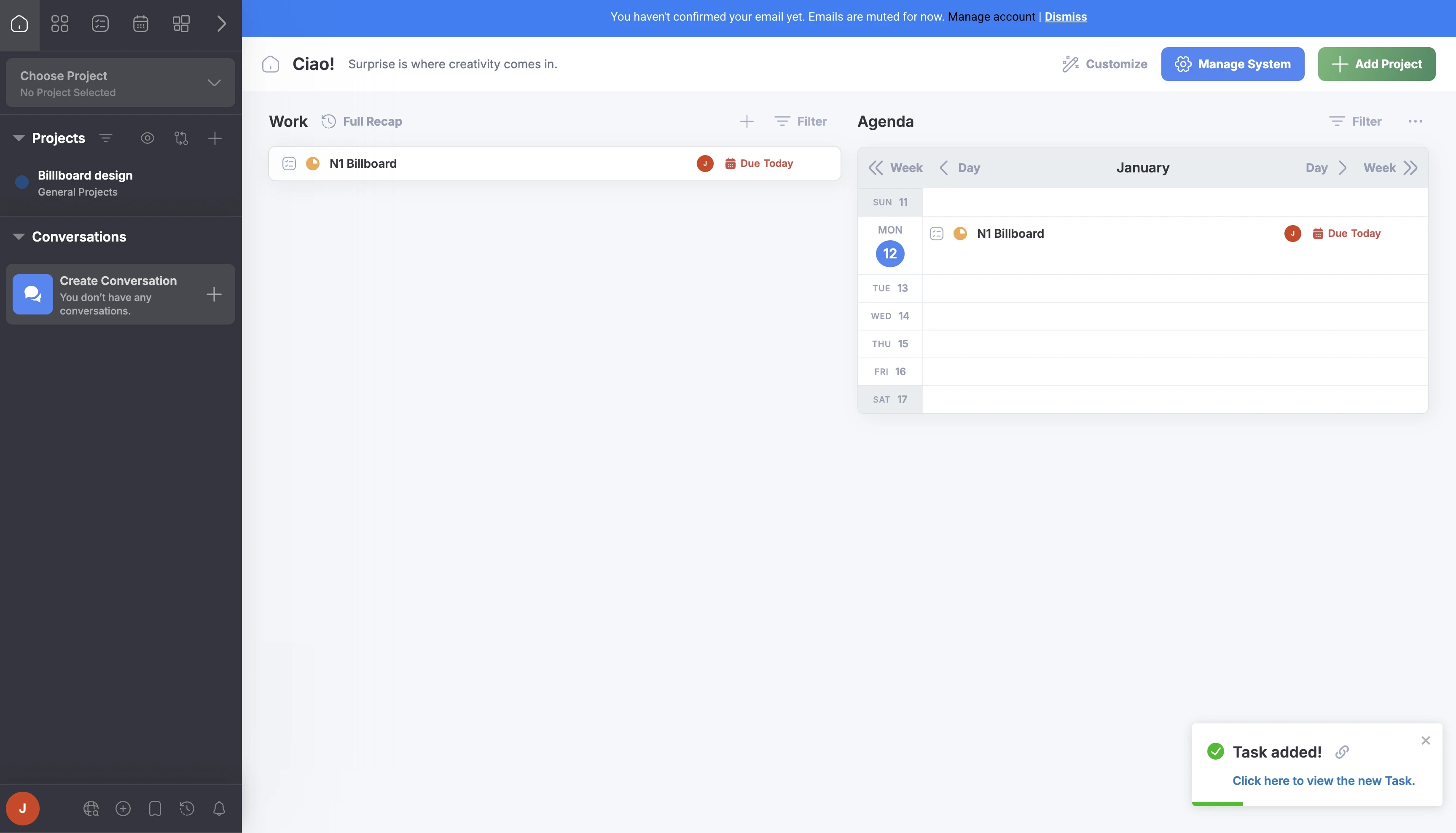
Freedcamp offers a wide set of project and collaboration tools, with a free plan that is attractive to smaller teams. It can be extended with add-ons as teams grow and requirements change over time.
Best for: Startups, small businesses and teams that need to prioritise affordability.
Key Features:
Pros:
Cons:
Pricing: Free plan available. Paid plans vary by tier, with low-cost entry options
Avaza blends project management with billing tools such as time tracking, expense management and invoicing. It is often a common choice for service-based firms that want to connect delivery with billing.
Best for: Consultants and service provides that track time, expenses and invoicing
Key Features:
Pros:
Cons:
Pricing:
Starts at $11.95 per month (a free plan is available with user and features limitations)
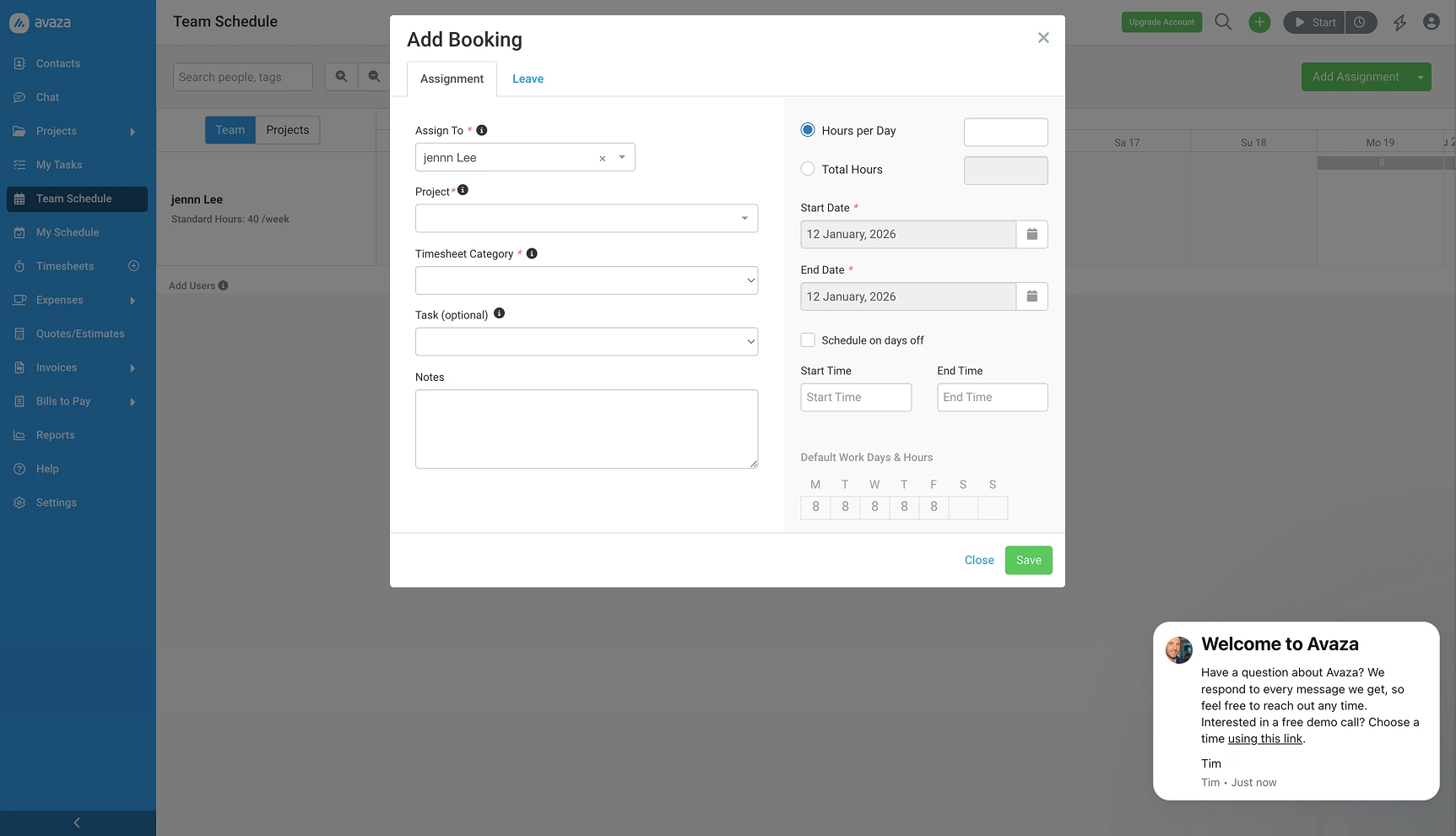
Need some help deciding? Here's a quick comparison of core features.
If you're exploring Basecamp alternatives because you need more visibility across projects, time, reporting and capacity, the most useful next step is finding a tool that matches your unique operating model.
Here's a quick way to sanity check your shortlist:
This is exactly the category Magnetic is built to serve: connecting projects + time + resourcing + reporting in one place, so delivery, performance and business visibility stay aligned as you grow.
Start a free trial and see Magnetic with your own projects. No credit card required.
.svg)
Magnetic is often a strong Basecamp alternative. It brings project management time tracking, resource planning and deep financial reporting into a single system, reducing the need for multiple tools and manual spreadsheets.
Agencies and professional service firms often choose Magnetic when they need to manage multi client projects, track time and understand the financial performance of projects in one place. Unlike task-only tools, Magnetic connects project work directly to financial and operational reporting.
Most Basecamp alternatives are focused on a single area, such as workflows, timelines, collaboration or task management. Magnetic is designed to support end-to-end project delivery by connecting projects, time tracking, capacity planning and reporting in a single platform, making it a viable option for teams managing ongoing client and cross-functional work.
Teams moving from Basecamp to Magnetic are supported by a dedicated onboarding team that helps guide that data migration process and initial set up. This includes working with existing projects, users and workflows to ensure a smooth transition and consistent structure moving foward.
Yes! Magnetic is a strong fit for growing teams that have outgrown lightweight project management and coordination and now need more structure, deeper reporting and better visibility. It is particularly valuable for teams that want to scale project delivery without adding more tools.
Absolutely. Magnetic can replace a combination of tools commonly used alongside Basecamp, such as separate time tracking, reporting or capacity planning software. By consolidating these functions into a single platform, teams can reduce operational complexity and maintain a single source of truth.

Magnetic is an all-in-one workflow management platform designed and built for professional services firms.
.svg)