 Global


Small business teams, especially in professional services, lose time and money when project work is tracked in spreadsheets and inboxes instead of a dedicated system.
Project management software puts tasks, time, billing, resource planning and reporting in one place, so missed deadlines are visible in real time
Five features decide whether a project management tool earns its keep: task and workflow management, time tracking linked to invoicing, collaboration, resource management, and room to grow.
Of the seven tools compared here, only Magnetic and Scoro raise client invoices from tracked time, so a firm that bills by the hour can start its shortlist there.
Adoption decides a rollout more than features do: run the trial on one real project with the whole team, train by role, and check in after two weeks.
Measure the result with three numbers over a few quarters: on-time delivery, billable utilisation and project margin.
Most small businesses don't have a project manager for every project. Someone on the team runs client work, tracks their own hours, and chases sign-off, often at the same time. That setup works, until it doesn’t. Maybe you take on two new projects at once, a client suddenly demands faster delivery, or someone calls in sick. Suddenly, the spreadsheet that seemed organized is hiding what you actually need: who’s doing what, when it’s due, and whether the project is still profitable.
For professional service firms specifically, the stakes are higher than for internal teams. Every hour is billable, or it isn't; every project makes or loses money, and clients always notice when work is late or over budget. Different industries experience this differently: accounting and consulting firms live or die by accurate time tracking and invoicing; architecture and engineering firms need resource planning that accounts for phased, multi-month projects; and agencies need collaboration tools that keep creative work and client feedback easy to find and act on. A generic task list doesn't solve any of these problems on its own.
Dedicated project management software solves this problem for small teams by providing:
That's the case for buying something. The rest of this guide is about buying the right thing.
Requirements also aren't identical across professional service types, which is where much generic PM software falls short. Accounting and consulting firms need tight time tracking and invoicing because their revenue comes almost entirely from billable hours. Architecture and engineering firms need resource planning that can handle multi-month projects across phases, often with team members moving in and out at different stages. Agencies need collaboration tools built around creative review cycles and client feedback loops, not just task checkboxes. A tool built for generic internal teams treats all of this as the same problem, but it isn't.
Every project management tool claims to do everything. For small professional service teams, five features truly determine whether the tool is worth using.
Task and workflow management. The tool needs to organise projects, assign tasks, and track progress without forcing your team into someone else's idea of how work should flow. A design studio, an engineering consultancy, and an accounting firm don't run projects the same way, and the software shouldn't pretend they do.
Time tracking and invoicing. For any business that bills by the hour, this feature protects revenue. Time tracking separate from invoicing means someone re-enters hours by hand, and that’s when billable time gets lost.
Collaboration and communication. Real-time updates, file sharing, and in-context comments cut down on the email threads and status-check messages that take up hours of a project manager’s week without moving the project forward.
Resource management. Small teams can't absorb an overloaded person or an idle one. Visibility into who has capacity and who doesn't is what prevents both burnout and missed deadlines.
Scalability and customisation. A tool that fits a five-person team should still fit that team at twenty-five, without forcing a mid-growth migration to a different platform.
Underneath these five, reporting deserves its own mention: a tool that tracks profitability, team productivity, and budget against actuals turns raw data most owners already have into decisions they can act on.
.webp)
Feature lists look similar across most project management platforms. You’ll only notice the real differences when you try the tools with your team’s actual workflow.
1. Assess what your business actually needs first. Before comparing tools, get specific about your own operation: team size and growth trajectory, whether projects are long-term retainers or short sprints, and how much workflow complexity you're dealing with - approvals, external clients, remote staff. A five-person design studio and a thirty-person engineering consultancy need different things from the same category of software, and industry-specific requirements (phased planning, billable milestones, compliance needs) should shape the shortlist before price does.
2. Prioritise the features that matter, not the ones that demo well. Extras are easy to get excited about in a sales call. For most small professional service firms, the fundamentals- task and workflow management, time tracking linked to invoicing, resource planning, budget visibility, and clear reporting- decide whether the tool earns its keep. If you don’t have those basics in place, none of the extras will make up for it.
3. Calculate the real cost, not just the subscription price. Per-seat pricing is just one piece of the total cost. Add in the add-ons some platforms charge extra for (advanced reporting, integrations, storage), and the time cost of switching between tools that don't talk to each other. Sometimes, a platform that seems affordable at first ends up costing more when you have to buy and manage several separate tools just to get the same work done.
4. Check what support and onboarding actually look like. Ask about live support in your time zone, dedicated onboarding help (especially if your team isn't especially technical), and whether training resources exist beyond a help-center article. A tool that needs a part-time administrator just to keep running isn't the time-saver it was sold as.
5. Run an actual trial, not a demo click-through. Use a free trial to run one real project with a real deadline, not to click through empty sample data. That's when you’ll run into genuine friction points. Bring the whole team into the trial. If the people doing the work don't like the tool, adoption will fail regardless of what the buyer decided.
Worth naming directly: these five steps matter more than any single feature comparison. The tool that looks perfect during a demo or comparison might not be the one your team is still using six months in. The real issue is often buying decent software, but never getting the team to actually use it day to day.
Best for: agencies, consultancies, and professional service firms
Magnetic was created for small professional service teams that bill by the hour and manage multiple client projects at once, the kind of business generic project management tools often ignore. If your team is between 5 and 100 people and needs to manage tasks, track time, plan resources, send invoices, and run reports, Magnetic does it all in one place, so you don’t have to juggle multiple apps to run your business.
Considerations: not built for product or manufacturing workflows that need inventory or production tracking, and teams that only need simple task lists may find the full feature set more than they need.
Best for: simple task and workflow management
Trello's Kanban interface is straightforward, and its free plan makes it a reasonable starting point for teams new to project management software or on a tight budget. The trade-off is depth: it lacks the reporting and time-tracking capabilities service businesses need to track profitability, so most firms outgrow it once billing accuracy starts to matter.
Best for: visual project tracking and automation
Monday.com's customisable workflows and third-party integrations (Slack, Google Drive, and others) make it a strong general-purpose option, and it's genuinely easy to set up. Pricing scales with team size and feature usage, though, and financial and invoicing capabilities are light — most service firms end up bolting on a separate billing tool.
Best for: structured workflows and detailed reporting
Wrike gives teams real-time dashboards and deep reporting, and it scales well for teams managing multiple simultaneous projects. New users face a steeper learning curve than most tools on this list, and premium features can get costly on higher-tier plans.
Best for: all-in-one customisation
ClickUp's feature set - task automation, goal tracking, document management, and multiple project views (Gantt, calendar, board) - covers a lot of ground, and its free tier offers a deep set of features. The feature volume is also its biggest drawback: new users often find the sheer number of options overwhelming before they find their footing.
Best for: flexible task and goal tracking
Asana's clean interface and adaptable setup suit teams that want strong goal-setting and cross-team progress tracking without a steep learning curve. It lacks built-in budgeting or invoicing, so service firms tracking billable work typically pair it with a separate finance tool, and you’ll need a higher-tier plan to access its more advanced features.
Best for: agencies with mature billing and scheduling needs
Scoro competes directly with Magnetic on paper: it combines time tracking, invoicing, resource planning, and quote-to-cash workflows into one platform aimed at agencies, consultancies, and engineering firms. Pricing starts around $17/user/month and climbs to $57/user/month across five tiers, which puts it meaningfully above Magnetic for teams that don't need Scoro's built-in CRM and sales pipeline features. It's a genuinely strong option for larger, more established agencies with complex quoting needs, but smaller teams often find the price and feature depth more than they need to get started.
For professional service-based small businesses that bill hourly and need time tracking, invoicing, and profitability reporting under one roof, Magnetic and Scoro are the two genuine contenders; the difference comes down to price point and how much of Scoro's CRM/sales layer your team actually needs.
Here’s a simple way to shortlist: If your main issue is seeing who’s working on what, Trello or Asana can usually solve that out of the box. But if billing accuracy and margin visibility are your biggest concerns, which is often where professional service firms run into trouble, focus on Magnetic and Scoro. The choice usually depends on your budget, team size, and whether you want an all-in-one platform with a built-in CRM or prefer to keep sales and project management separate.
It's simple enough to buy project management software. The real challenge is getting your team to stick with it, rather than defaulting to email and spreadsheets again after a few weeks. Success depends on a clear, step-by-step rollout plan.
Before importing anything, look honestly at your current setup: what's actually broken, what data is worth keeping, and what can be archived or dropped. Clean up task lists, contacts, and time logs before they move into the new system - carrying over the mess just relocates it. Put one person in charge of migration, ideally someone who does the work day to day, not just whoever bought the software.
Nobody needs to learn every feature on day one. Project leads need to create tasks, set timelines, and manage budgets. Team members need task updates and time tracking. Finance needs invoicing, reporting, and profitability views. Short, hands-on sessions beat a single long walkthrough, and recording them gives you free onboarding material for the next hire.
Even the right tool fails without buy-in. Explain why the switch is happening, not just what's new. Bring in a couple of early adopters to test and give feedback before the full rollout. Start simple and expand once people are comfortable, rather than turning on every feature at once.
Schedule a two-week check-in to catch early friction before people get into a habit of working around the system. Then move to monthly or quarterly reviews: adjust workflows based on how the team is using the tool, update training material, and call out quick wins (faster invoicing, fewer missed deadlines) so the team notices the benefits, not just the new process.
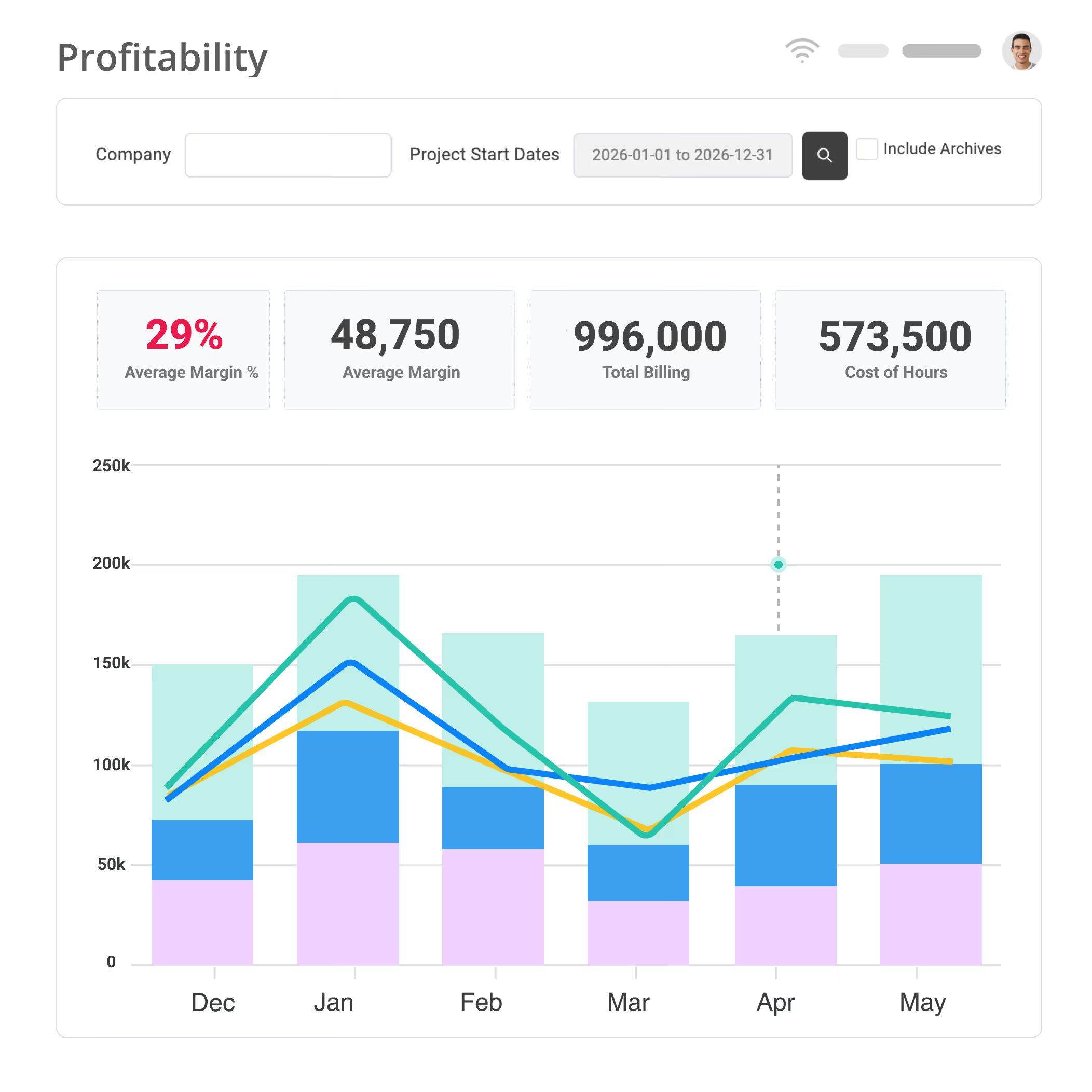
Buying the software is just the first step. To know if it’s working, keep an eye on three key numbers:
By tracking these three numbers over a few quarters, you get a clear picture of where the tool saved money or improved results and where it didn’t.
Exonic Solutions is a South African software consultancy with fewer than 50 people. Before Magnetic, it ran the business like many small firms: one tool for scheduling, another for quoting, and another for time tracking and financials. Every update had to be made in more than one place, team capacity was guessed rather than measured, and basic questions were hard to answer: where the time was going, how actuals compared with estimates, and when the team could realistically take on new work.
The team found Magnetic through a referral and brought job tracking, scheduling, timesheets, financials, and reporting into one system, with Xero connected so they no longer needed to reconcile estimates and quotes by hand. Adoption took longer than expected, mainly because of internal change management, which the rollout plan above is designed to address. Once everyone was working in Magnetic, the results followed.


80%
improvement in project visibility
“Magnetic has helped us replace the noise of multiple tools with a single, reliable system that actually supports how we work.”
Billy Einkamerer, Managing Director, Exonic Solutions

Alongside the 80% improvement in project visibility, Exonic reports a 50% improvement in scheduling and task management accuracy, 45% less time spent on admin, and savings from no longer paying for several separate tools. Costing is now based on actual effort rather than assumptions, which is why project margin, the third number above, is worth tracking.
Magnetic holds Highest User Adoption and Momentum Leader badges on G2 reflecting how quickly teams get comfortable using it day to day, a meaningful signal since adoption, not feature count, determines whether a rollout like the one above actually sticks.
But the rollout plan from earlier works in practice - teams like Hoorah Digital are seeing real results when they follow it.
If your team still coordinates projects through email threads and spreadsheets, the fastest way to know whether dedicated software is worth it is to run one real project in it. Start a free trial (no credit card required) or book a demo to see how Magnetic handles task management, time tracking, resource planning, and profitability reporting for professional service teams like yours.

The best project management software for small businesses depends on the company’s size, industry, and workflow requirements. Trello is ideal for businesses looking for a simple Kanban-style task manager, while Monday.com offers greater customisation for visual project tracking. Wrike provides structured workflows with robust reporting, and ClickUp is a feature-packed solution for teams needing multiple project views. However, for service-based SMBs, Magnetic stands out as an all-in-one tool that combines time tracking, invoicing, resource management, and collaboration, making it the best project management tool for SMBs looking for a comprehensive, scalable solution.
For small businesses, the most important project management software features focus on efficiency, collaboration, and financial oversight. Task and workflow management ensures that teams can organise and track progress seamlessly. Time tracking and invoicing help SMBs manage budgets and ensure accurate billing for clients. Collaboration and communication tools like real-time updates and file sharing keep everyone aligned. Resource management optimises staff allocation, and scalability ensures the software grows with the business. When selecting small business project management software, SMBs should look for these features to streamline operations and enhance productivity.
Effective budget and time tracking in PM software for small teams requires automation and integration with financial tools. Time tracking helps businesses monitor billable vs. non-billable hours, ensuring accurate client invoicing and profitability analysis. Budgeting tools within project management software allow SMBs to set cost estimates, compare them to actual spending, and adjust strategies to improve profitability. Magnetic simplifies time tracking and invoicing by automatically logging work hours and generating invoices linked to project milestones. By using project management solutions for startups and SMBs, businesses can maintain financial health and prevent budget overruns.
Many best project management tools for SMBs offer integrations with accounting and CRM platforms to enhance workflow automation. Monday.com connects with tools like QuickBooks and HubSpot, making it useful for businesses that need a seamless project and sales pipeline connection. Wrike offers integrations with Salesforce, helping teams track client communications and projects in one place. ClickUp syncs with accounting platforms like Xero and FreshBooks for streamlined invoicing. Magnetic takes it a step further by providing built-in time tracking and invoicing, reducing the need for third-party software. For SMBs looking for a PM tool with financial integrations, choosing one with built-in features or seamless API connections is key.
Yes, Magnetic provides invoicing features tailored for SMBs, eliminating the need for separate billing software. With built-in time tracking, businesses can automatically convert billable hours into invoices, ensuring accurate client billing without manual entry. Magnetic allows businesses to customise invoices, integrate with financial software, and track payment statuses, making it a complete project management solution for service-based businesses. By combining resource planning, financial reporting, and invoicing in one platform, Magnetic stands out as the best small business project management software for firms looking to streamline operations and financial workflows.
For small businesses, collaboration tools in PM software for small teams are essential to keeping teams aligned. Features like real-time updates, task assignments, and file sharing help employees coordinate efficiently, even in remote work environments. Tools like ClickUp and Wrike offer extensive collaboration functions, but Magnetic goes further by centralising communication, resource management, and financial tracking in a single platform. This means teams can discuss projects, log billable hours, and generate invoices without switching between multiple apps, making Magnetic a one-stop solution for small business collaboration and project tracking.
Jenna Green
Head of Growth
at Magnetic
Jenna Green leads marketing at Magnetic. She's worked across agencies, startups, and B2B SaaS, giving her first-hand experience of the operational challenges service firms face.


Magnetic is an all-in-one workflow management platform designed and built for professional services firms.

.svg)